
Design Your Headspace: How to Customize Penso for Deep Work and Deep Rest
You wouldn’t sleep in a conference room. So why do you journal in an app that looks like a spreadsheet?
1/19/20262 min read

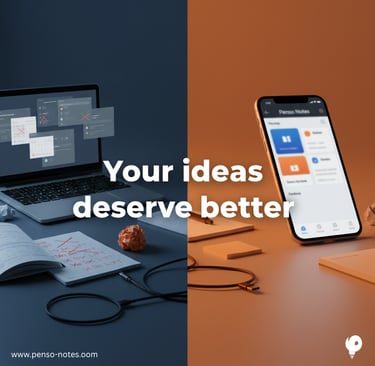
You wouldn’t try to sleep in a fluorescent-lit conference room.
So why do you try to journal in an app that looks like a spreadsheet?
Our physical environments trigger specific behaviors. When you walk into a library, you instinctively lower your voice. When you walk into a gym, your heart rate goes up.
But digitally, we tend to live in "The Default."
We use the same standard white interface for managing high-stress projects as we do for capturing our most vulnerable thoughts.
This leads to Context Blur. Your brain doesn't know whether to be alert or to relax, so it stays in a low-level state of stress.
In Penso, you can fix this. By customizing the theme of each diary, you aren't just decorating; you are designing triggers for your brain that help you instantly shift moods.
Here is how to set up your "Digital Rooms" for Deep Work and Deep Rest.
1. The Focus Room (For Deep Work)
The Goal: Clarity, precision, execution.
The Theme: Deep Minimal Glass
When you need to enter "Boss Mode," you need an environment that cuts the noise. You don't want whimsy; you want structure.
The Vibe: Sleek, dark, and transparent.
The Psychology: The high contrast and sharp lines of Deep Minimal Glass signal to your brain that this is a space for logic. It mimics the feeling of a clean, modern desk.
The Setup: Pair this with a clean Sans-Serif font. It’s easy to scan and keeps you moving fast.
Visual Trigger: I see the glass → I lock in.
2. The Sanctuary (For Deep Rest)
The Goal: Safety, softness, vulnerability.
The Theme: Ethereal Pearl Glow or Self-care
You cannot force yourself to relax in a rigid space. For your gratitude journal, therapy notes, or daily reflection, you need a visual cue that says, "The workday is over."
The Vibe: Iridescent, warm, soft light.
The Psychology: Ethereal Pearl Glow uses soft gradients to mimic natural light. This reduces visual strain and subtly tells your nervous system to unclench. It feels private, like a room with the door closed.
The Setup: Pair this with a Serif or Handwriting font. It feels more human, slower, and more intentional.
Visual Trigger: I see the glow → I breathe out.
3. The Observatory (For Big Ideas)
The Goal: Expansion, dreaming, "what if."
The Theme: Cosmic Dream
Sometimes, you need to think bigger than your to-do list. You need a space for "Blue Sky" thinking—life goals, creative writing, or bucket lists.
The Vibe: Dark, vast, starry.
The Psychology: The Cosmic Dream theme creates a sense of infinite space. It removes the boundaries of a white page, encouraging your mind to wander and connect dots that don't usually connect.
4. The Utility Closet (For Rapid Logging)
The Goal: Speed, friction-free capture.
The Theme: Dot Grid
For your "Inbox" or "Grocery List," you don't need a mood. You need a tool.
The Vibe: Tactile, paper-like, utilitarian.
The Psychology: Dot Grid mimics the classic engineering notebook. It suggests that this data is temporary and functional. It stops you from overthinking the formatting so you can just get the data down.
How to Design Your Mind
You don't need to be a designer. We have built these environments for you.
Open a Diary (e.g., "Work").
Tap the Settings ⚙️ icon.
Select Theme.
Choose the environment that matches the intent of that diary.
The Micro-Action
Stop living in the default setting.
Today, choose one diary and change its theme.
Give your mind the right room for the job.
Penso Notes
Discover seamless journaling and creative reflection today.
Connect
Support
contact@penso-notes.com
© 2025. All rights reserved.