
Mastering Rapid Logging in Penso Notes
We’ve all been there: a million "to-dos" swirling in your head, a sudden spark of a project idea, and the looming dread of a 3 PM meeting. When we try to juggle all of this mentally, our brains experience a "system slowdown." This is where Rapid Logging comes in.
Penso Notes
1/5/20264 min read

We’ve all been there: a million "to-dos" swirling in your head, a sudden spark of a project idea, and the looming dread of a 3 PM meeting. When we try to juggle all of this mentally, our brains experience a "system slowdown."
This is where Rapid Logging comes in.
At its core, Rapid Logging is the "shorthand" of the Bullet Journal (BuJo) method, created by Ryder Carroll. It’s more than just a list of chores; it’s a cognitive hack. By using a simple system of symbols and short phrases, you can offload mental clutter and reclaim your focus.
Why It Works: The "External Brain"
Cognitive science tells us that our working memory is a limited resource. When you try to remember to "buy milk" while writing a report, your brain uses energy to keep that milk reminder active. This is known as the Zeigarnik Effect—the tendency for the brain to nag us about unfinished tasks.
Rapid logging "closes the loop." By externalizing the thought, your brain gets explicit permission to stop mentally rehearsing the task. While traditional notebooks are great, Penso Notes takes this a step further by providing a "Digital External Brain" that is always with you, searchable, and secure.
The Core Language
To start, stop writing sentences. Use a standardized syntax within your Penso feed:
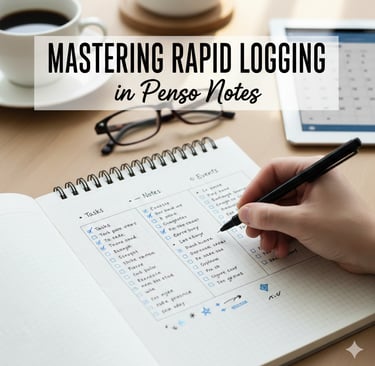
Tasks (•): Actionable items (e.g., • Draft budget)
Events (○): Date-related entries (e.g., ○ Lunch @ 1pm)
Notes (–): Facts, ideas, or observations (e.g., – Found a great new coffee shop)
In Penso, you can take this "telegraphic" style and enhance it with multimedia. Sometimes a "Note" is better captured as a quick voice memo or a photo of a whiteboard—Penso lets you mix these seamlessly into your daily log.
The Pro Move: Signifiers
Add Signifiers to the left of your bullets to add context at a glance. In Penso, you can customize your bullet keys to fit your workflow:
Priority (*): For particularly essential items (e.g., * • Submit tax form)
Inspiration (!): For sudden flashes of brilliance or new ideas
Research (👁): For things that require further looking into
How to Rapid Log with Penso
Whether you are a BuJo purist or a digital native, the workflow is built for speed.
1. The Daily Dump Don’t wait for a "planning session." In Penso’s messenger-style interface, you can "text" entries the moment they occur. Keep them brief:
Instead of: "I really need to remember to call the plumber about the leaky sink."
Write: • Call plumber (sink)
2. The Status Update As you move through your day, update your progress. Penso makes this interactive:
X = Task Completed
> = Migrated (Moved to tomorrow or a specific diary)
< = Scheduled (Linked to your centralized calendar)
3. The Smart Migration (The Secret Sauce) At the end of the day, look at your open bullets. In a paper journal, rewriting is the filter. In Penso, you use the Swipe-to-Migrate gesture. This forced pause prevents you from carrying over "zombie tasks" that don't actually matter.
Tailored Insights: Tricks for Every User
For the Student: Use nested bullets for lectures. While handwriting is great for retention, Penso’s audio capture allows you to record the lecture while rapid-logging key points, giving you a complete sensory map of the class.
For the Busy Professional: Use the "Interstitial Journaling" method. Between tasks, rapid-log what you just finished and what you'll do next (e.g., "X Finished Q3 Report | • Next: Review email"). It clears the mental fog and helps you transition into deep work faster.
For the Creative: Use a dedicated "Idea Inbox" diary. In Penso, you can have separate journals for "Work," "Personal," and "Creative Sparks," ensuring your big ideas don't get lost in your grocery list.
Template Sentences for Your Daily Log
Task • [Action Verb] [Object]
Event: ○ [Event Name] @ [Time/Location]
Observation: – [Key Fact or Thought]
Priority: * • [Crucial Task]
Inspiration: ! – [New Idea]
Here are examples and template sentences for each of the core rapid logging categories:
Task Start: • [Action Verb] [Object]
A task is an actionable item that requires a specific outcome. Using an action verb at the start helps clarify exactly what needs to be done.
• Draft Q1 marketing budget.
• Call plumber regarding the kitchen sink.
• Schedule dental cleaning for next Tuesday.
• Update the team project schedule.
• Review client feedback from the morning meeting.
Event Entry: ○ [Event Name] @ [Time/Location]
Events are date-related or time-specific occurrences. They should be logged as succinctly as possible, focusing on objective details.
○ Staff Meeting @ 9:00 AM in Conference Room B.
○ Sarah’s Wedding @ 4:00 PM on June 24th.
○ Lunch with Alex @ The Corner Café.
○ Annual Health Checkup @ City General Hospital.
○ Digital Marketing Webinar @ 11:00 AM via Zoom.
Observation: – [Key Fact or Thought]
Notes are used for facts, ideas, and observations that you want to remember but aren't immediately actionable.
– Note: The new coffee blend from the local café has a very rich flavor.
– Fact: Project funding must be secured by the end of Q3.
– Thought: Felt much more energized after a 20-minute morning workout.
– Observation: Team productivity seems to dip slightly on Tuesday afternoons.
– Idea: Consider using a subscription model for the new app project.
Priority: * • [Crucial Task]
A priority signifier is placed to the left of a task to highlight it as one of the most important items for the day.
* • Submit final tax forms before 5:00 PM.
* • Finalize the presentation slides for the board meeting.
* • Confirm travel arrangements for next month’s conference.
* • Respond to the high-priority client inquiry regarding the contract.
* • Complete the primary coding sprint for the website update.
Inspiration: ! – [New Idea]
The inspiration signifier is typically paired with a note to mark great ideas, personal mantras, or sudden insights.
! – Idea: Start a weekly podcast featuring local entrepreneurs.
! – Insight: Simplicity is the ultimate sophistication.
! – Concept: Create a "15-minute task list" for quick household chores.
! – Project: Design a custom set of signifiers tailored specifically for my design workflow.
! – Reflection: Celebrating small wins daily builds significant long-term momentum.
Final Thoughts Rapid logging isn't about being "busy"; it's about being intentional. It turns your app into a "living list" that evolves with you. By stripping away the fluff, you're left with a clear, actionable map of your life.
Penso Notes
Discover seamless journaling and creative reflection today.
Connect
Support
contact@penso-notes.com
© 2025. All rights reserved.