Penso on desktop
Your diaries on your Mac or PC — a keyboard for long entries, a big screen for planning, synced with your phone over Wi-Fi.
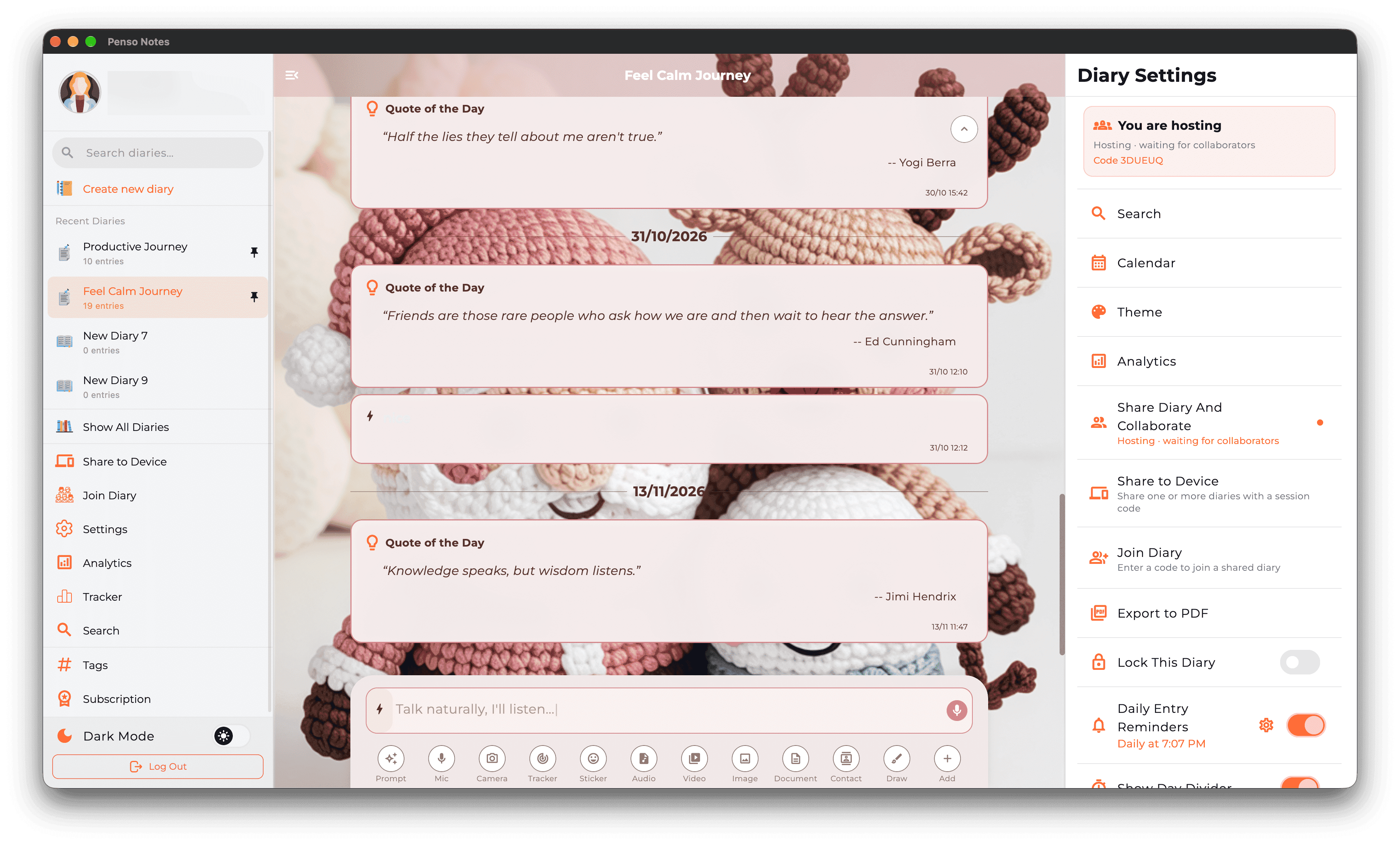
Penso Notes has desktop apps for macOS 12+ and Windows, included with Penso Pro. Diaries sit in the sidebar, the open diary in the middle and its settings on the right. Bring your phone's diaries over with Import on the same Wi-Fi, or share a diary for live sync between phone and computer.
Mac & Windows is part of Penso Pro. Writing, diaries, privacy, backup and Journeys stay free. What's in Pro
A keyboard for the long entries
Rapid logging is fastest on a phone; long reflections, meeting notes and planning are faster with a keyboard. #tags, reminders and formatting work the same way.
Everything at once
Diaries, the open diary and its settings side by side. ⌘K opens search with tag, date and bullet filters; the calendar shows every diary by day.
In sync with your phone
Import diaries from your phone over the same Wi-Fi, or share one for live sync — an entry added on the Mac appears on the phone as you type.
How to use mac & windows in Penso Notes
- Download. macOS 12 or later, or Windows, from the download page.
- Sign in. With the account that has Penso Pro.
- Import your diaries. Open Penso on your phone on the same Wi-Fi and pick which diaries to bring over.
Frequently asked questions
Is there a Penso Notes app for Mac?
Yes — for macOS 12 Monterey or later, on Apple silicon and Intel. A Windows app is available too.
Do I need Penso Pro to use the desktop app?
Yes. The desktop apps are part of Penso Pro. Upgrade in the app on your phone, then restart Penso on the computer.
How does the desktop app sync with my phone?
Over your local Wi-Fi: import diaries from the phone, or share a diary for live sync.
Your thoughts deserve
a proper home.
Free, beautifully designed, and on-device private. Start journalling in 60 seconds.