By Manuj Mehta · Updated
To share a diary in Penso, open its settings and tap Share Diary and Collaborate. Give the 6-character session code to the other person; they tap Join Diary and enter it on the same Wi-Fi. New entries then appear live on every connected device.
Penso Pro
This is part of Penso Pro. The rest of Penso Notes stays free. What's in Pro
Step by step
Start sharing from diary settings
Open the diary, tap the gear and choose Share Diary and Collaborate. You become the host.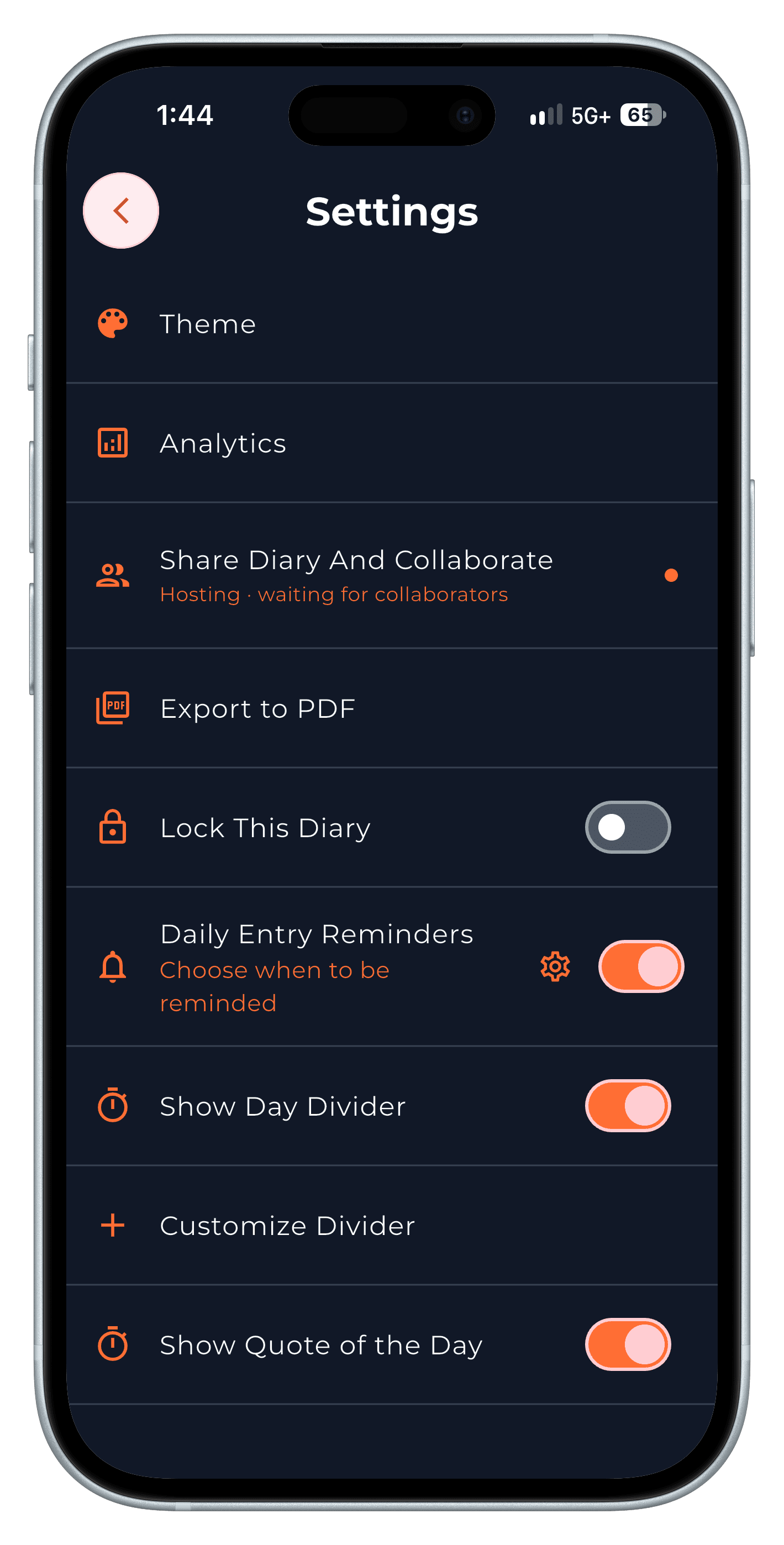
Step 1 Share the session code
Penso shows a 6-character code and the connected devices (up to five). Copy the code and send it.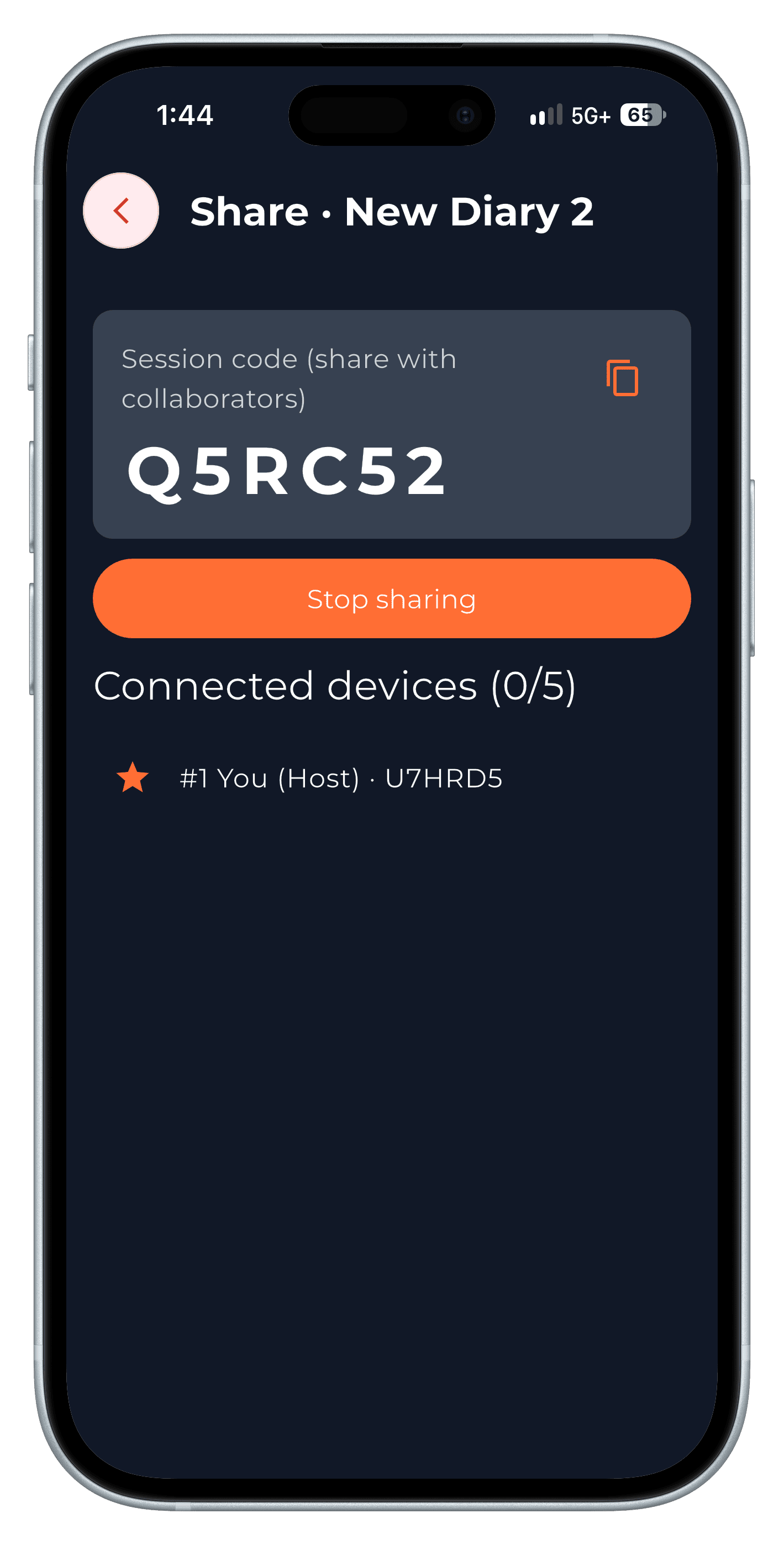
Step 2 Join from the other device
On the other phone or computer, open Join Diary and enter the code. Both devices need to be on the same Wi-Fi.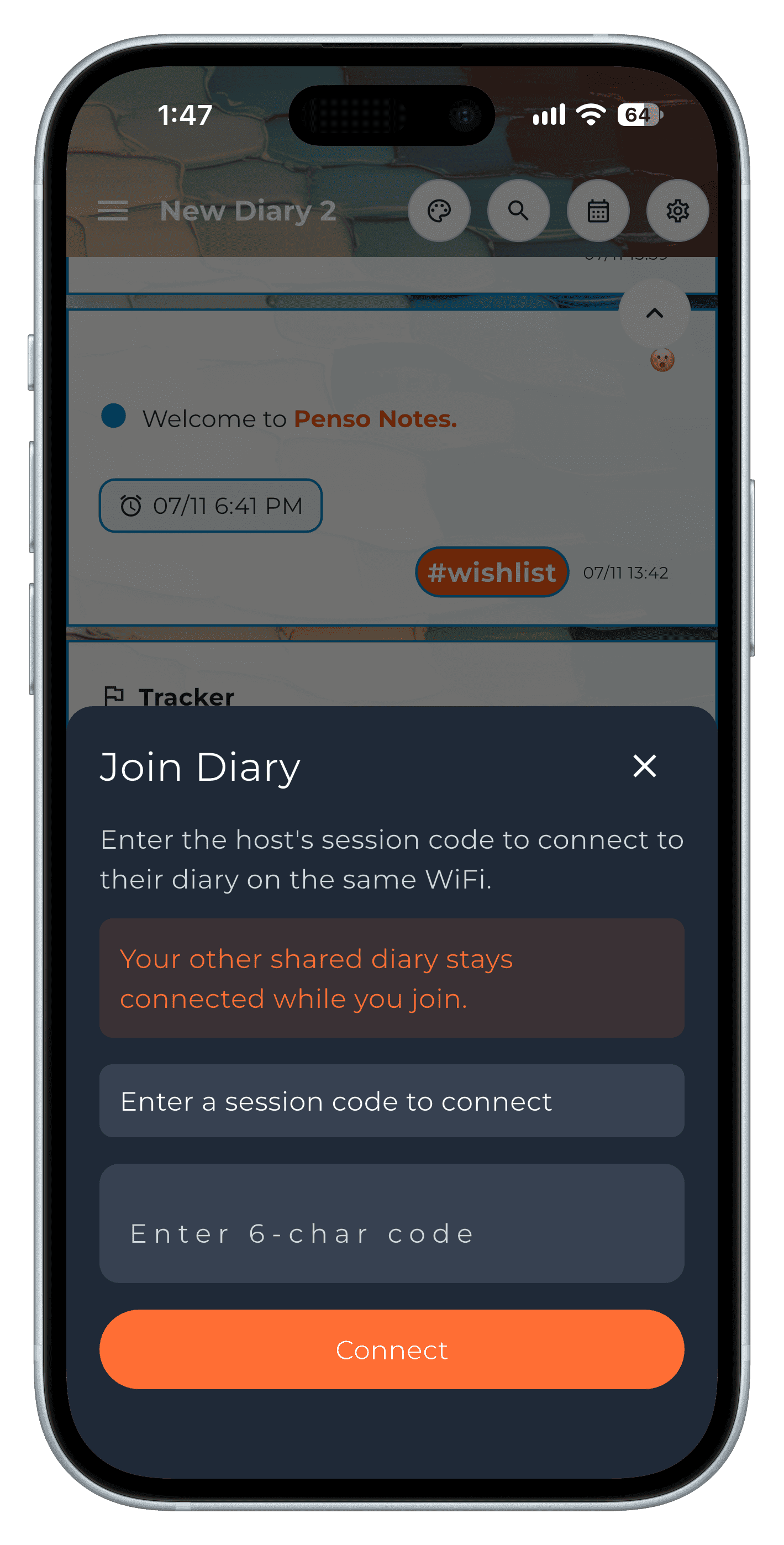
Step 3 Write together
"Live sync on" shows at the top. Entries from either device appear on both — on phones and the desktop app alike.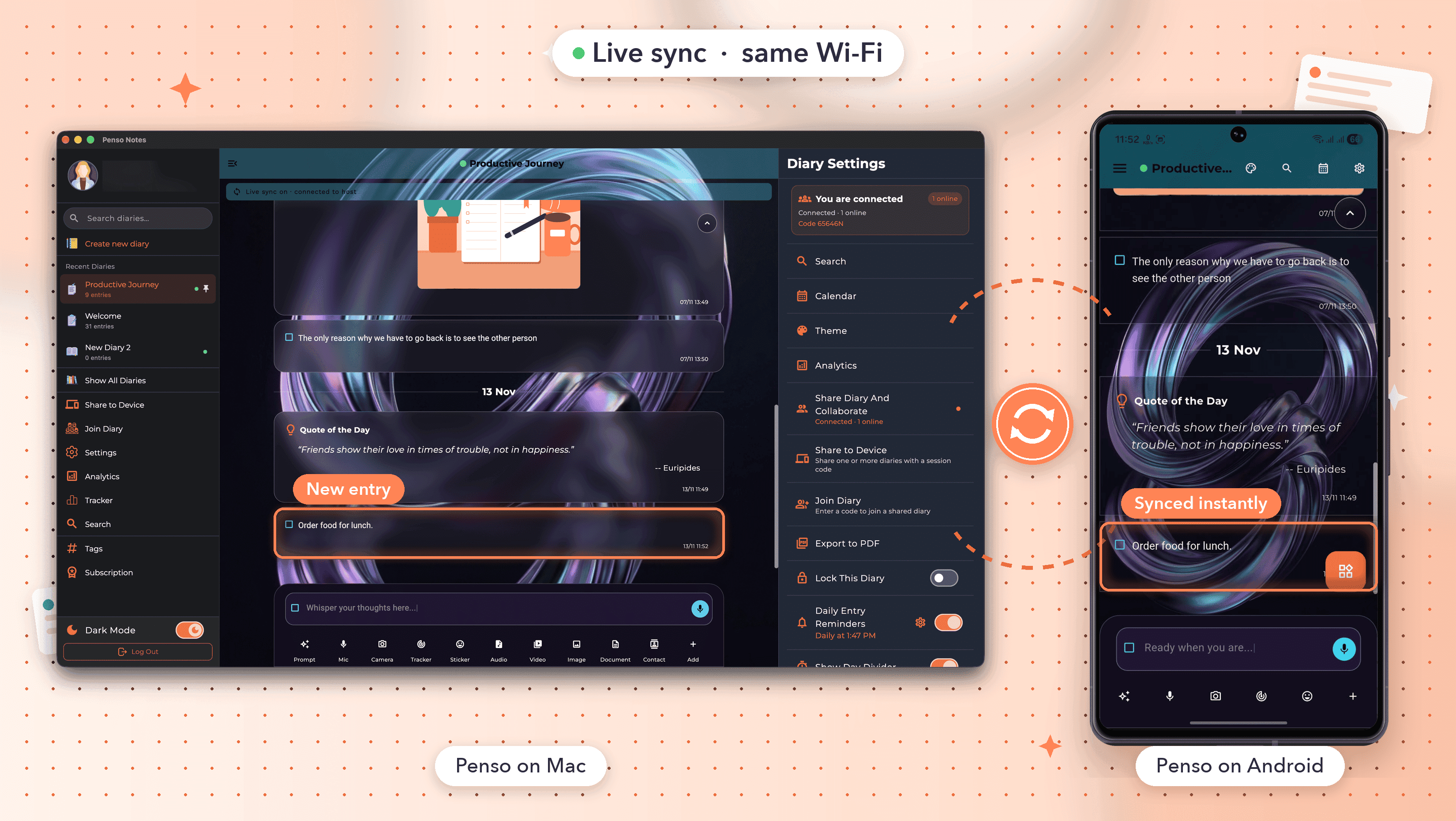
Step 4
Frequently asked questions
Does a shared diary go through the cloud?
Live sync works between devices on the same Wi-Fi network.
How many people can join?
Up to five connected devices per session.
Is sharing free?
Hosting and joining shared diaries are part of Penso Pro.