By Manuj Mehta · Updated
To organise Penso Notes, keep one diary per area of life — work, personal, ideas — each with its own theme. Tag entries that cut across diaries, and copy an entry to another diary when it belongs somewhere else, the way a bullet journal migrates tasks.
Step by step
Create a diary per area of life
Open All Diaries and tap +. Pin the ones you use most so they stay at the top.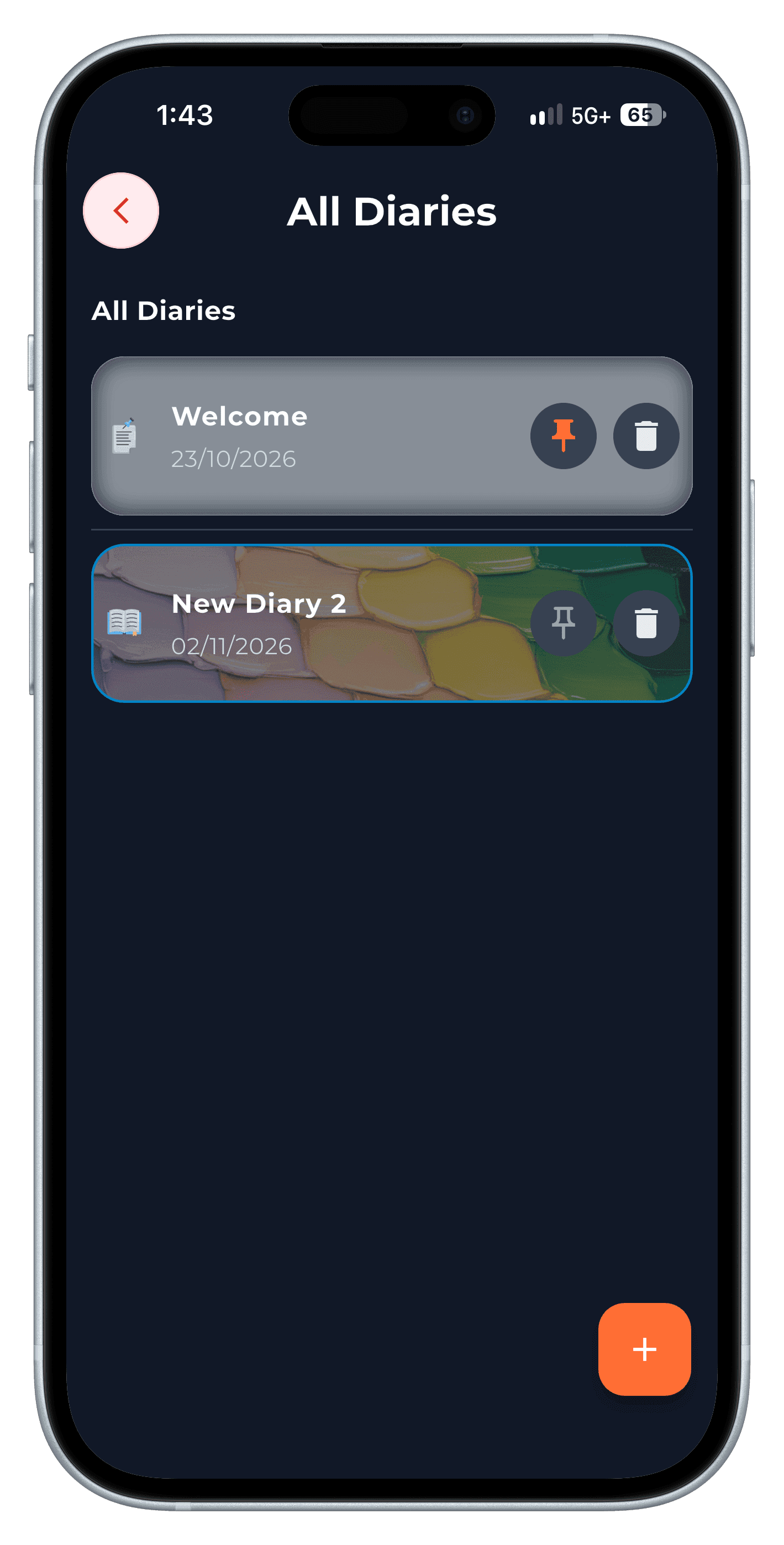
Step 1 Give each diary its own theme
Open the palette icon inside a diary. Switching diaries switches the mood — a calm theme for your journal, a minimal one for work.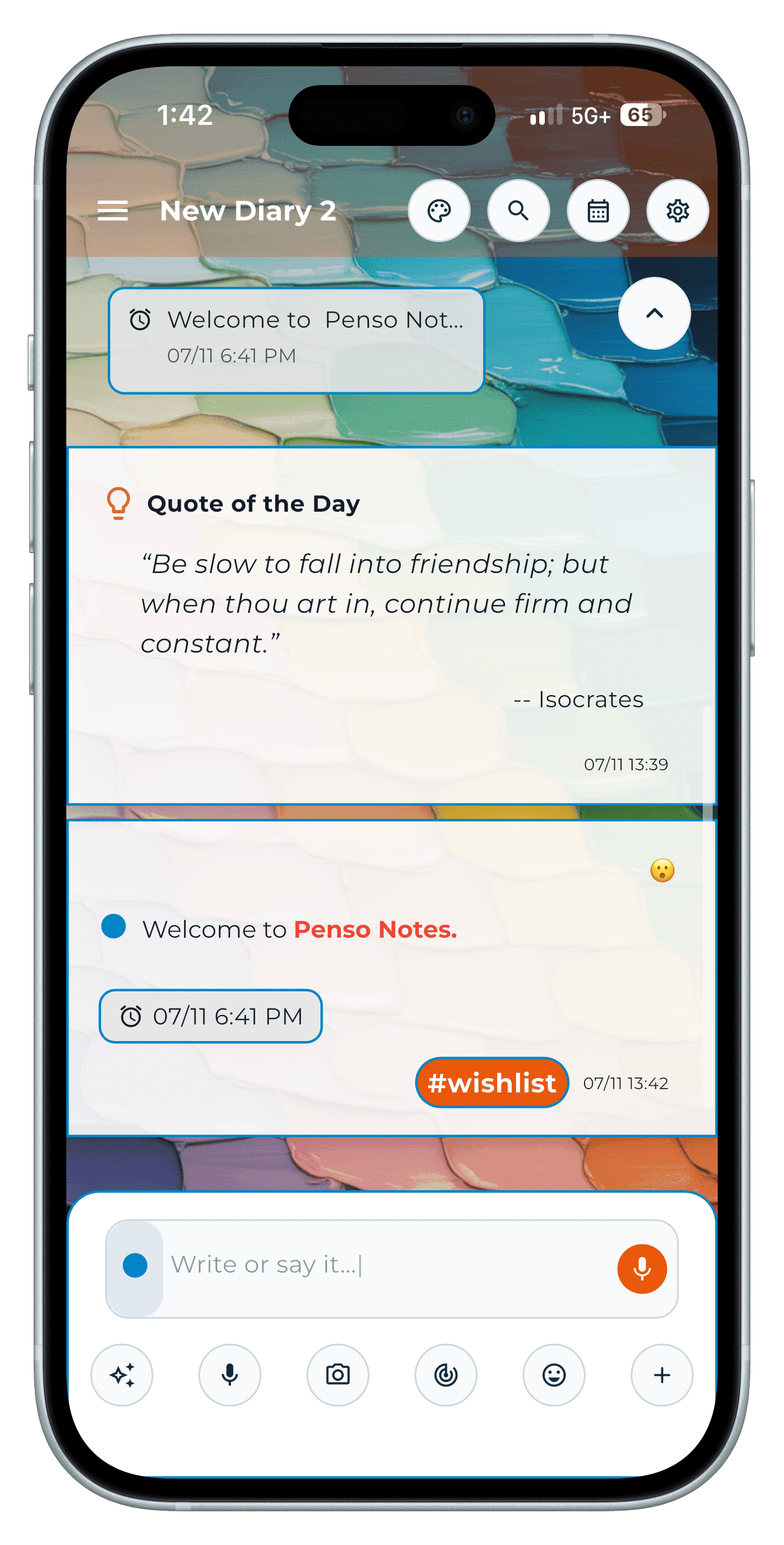
Step 2 Copy an entry to another diary
Long-press an entry, choose copy, and pick the destination diary — or create a new one. This is bullet-journal migration without rewriting.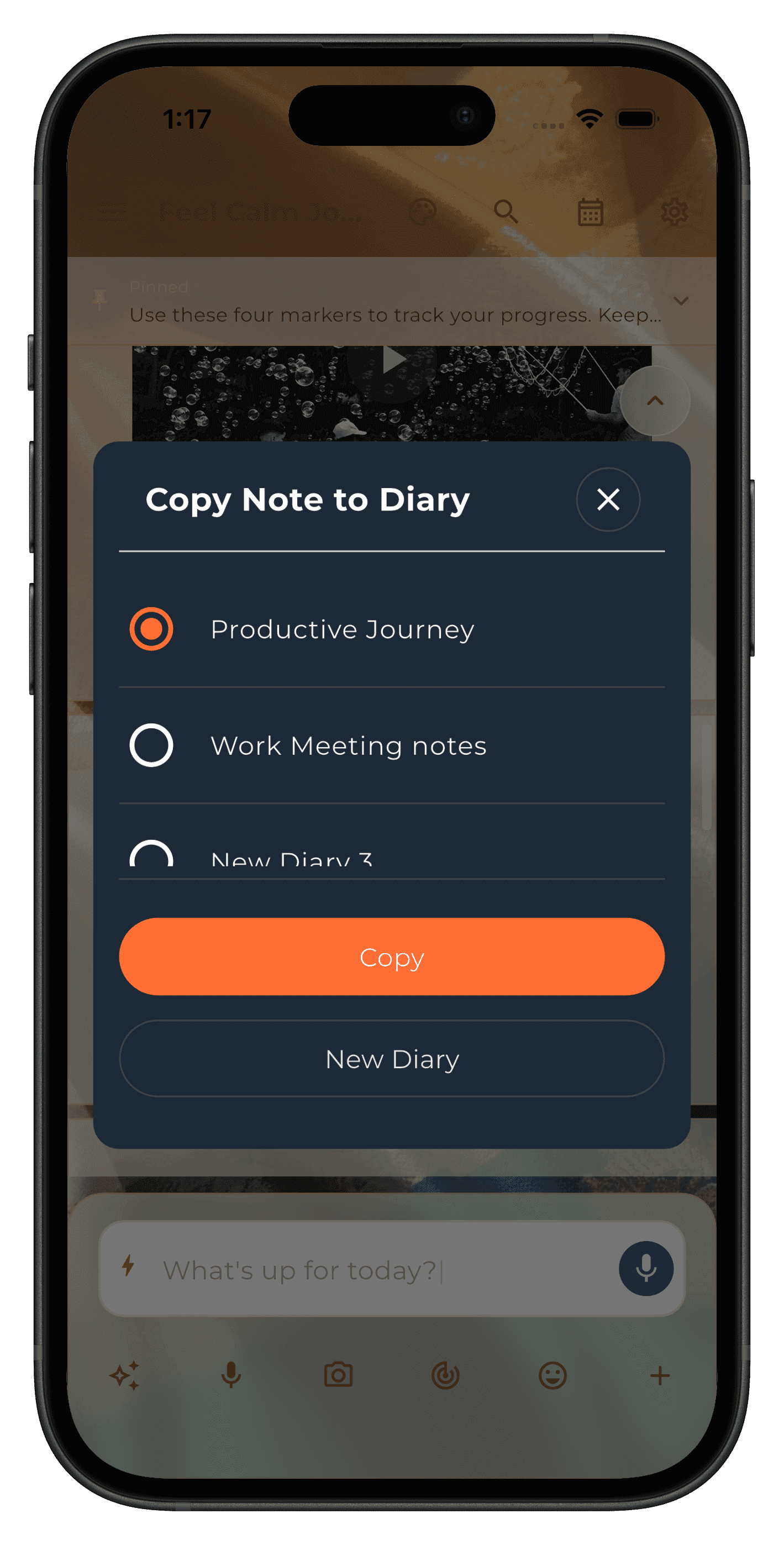
Step 3 Tag what cuts across diaries
Tags like #work or #ideas work in every diary. Manage, rename or delete them from the Tags screen.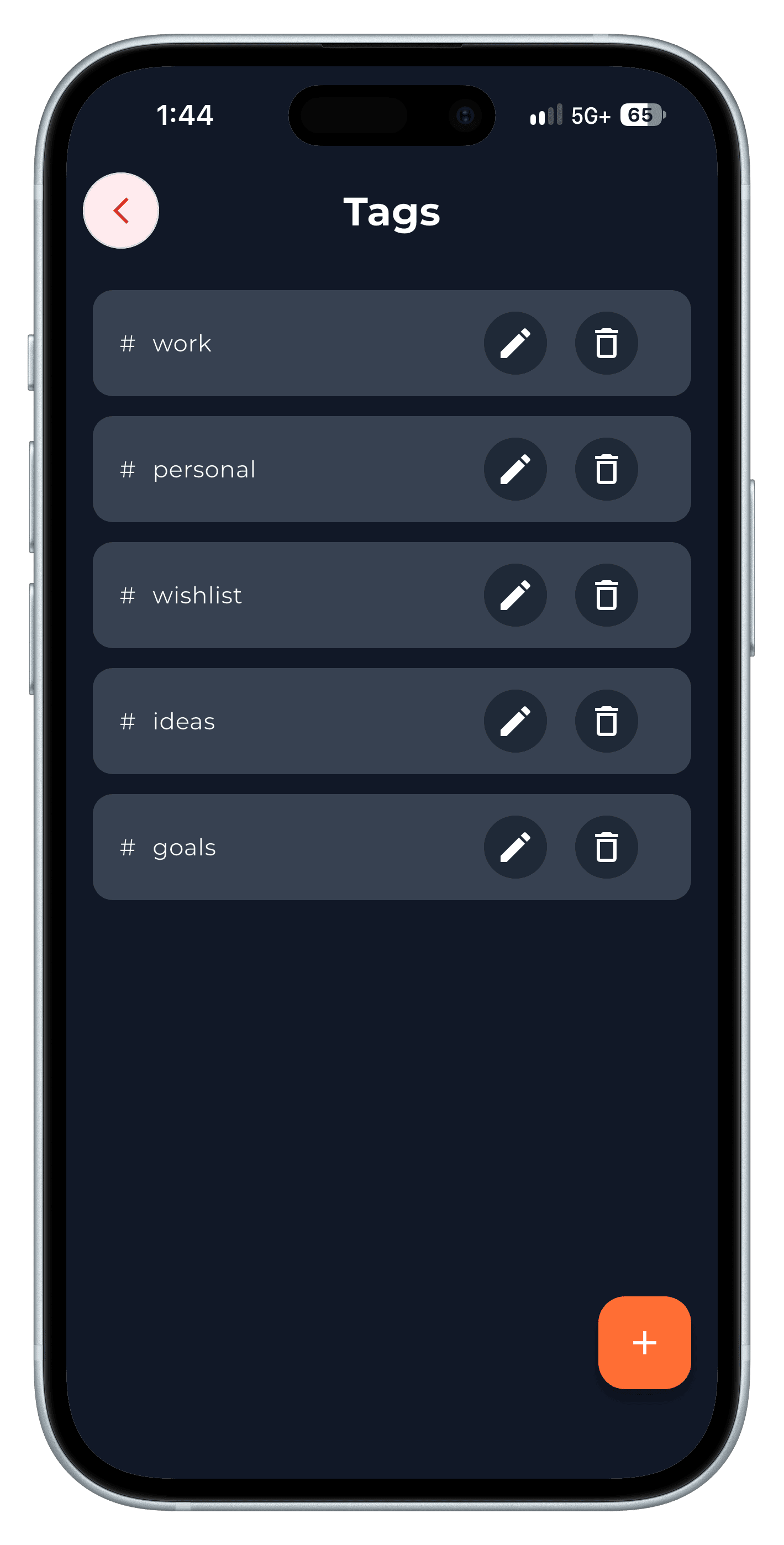
Step 4 Mark sections with dividers
Day dividers separate entries by date; customise their icon, colour and width in diary settings, or add a line to split a long day.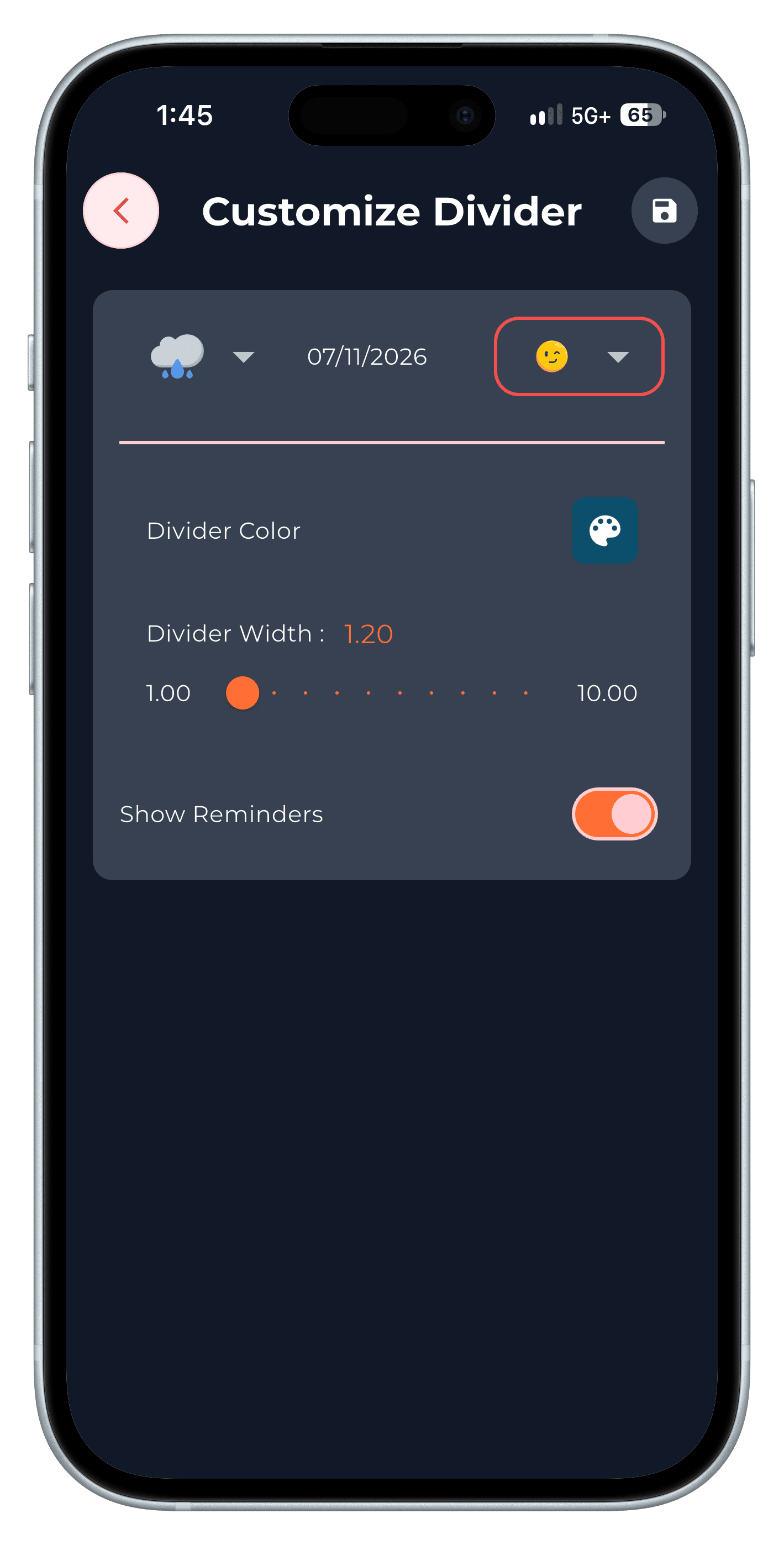
Step 5 Export a diary to PDF
From diary settings, Export to PDF creates a file you can share or archive. Exporting notebooks is part of Penso Pro.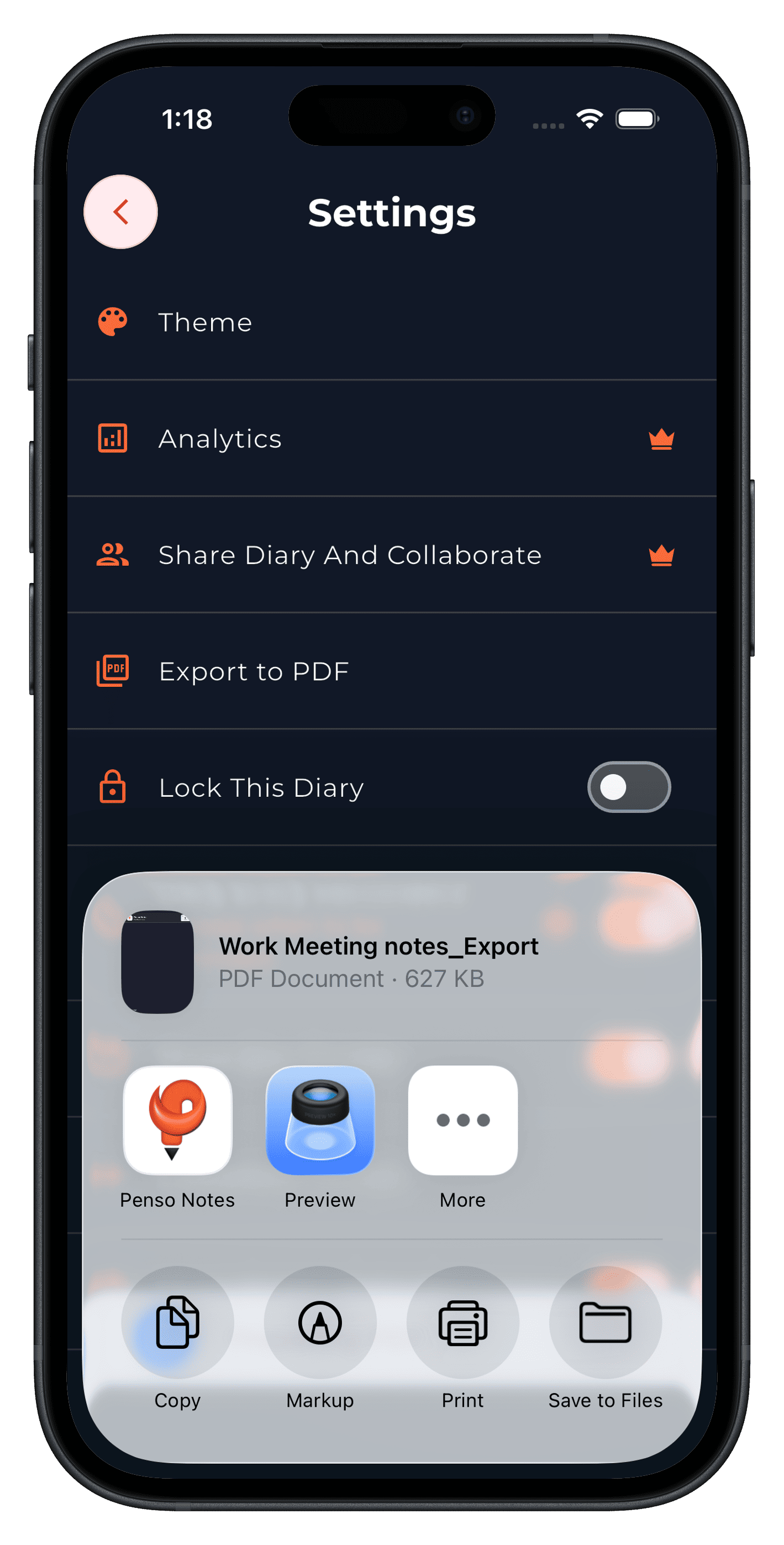
Step 6
Frequently asked questions
How many diaries should I have?
Start with two or three — for example Work, Personal and Ideas. Add one only when a topic keeps getting mixed into another.
Can I move an entry to another diary?
Yes. Long-press the entry and copy it to another diary.