By Manuj Mehta · Updated
To track a habit in Penso, open Trackers and pick one — mood, water, walking, workout, sleep, reading — or create your own. Set how often it repeats, an end date and a reminder, then log progress with one tap from your diary.
Penso Pro
This is part of Penso Pro. The rest of Penso Notes stays free. What's in Pro
Step by step
Choose what to track
Open Habits & Trackers and tap New Tracker. Pick from categories — Health & Fitness, Mood Tracking, Mindfulness, Learning, Productivity, Finance — or Create own goal for anything else.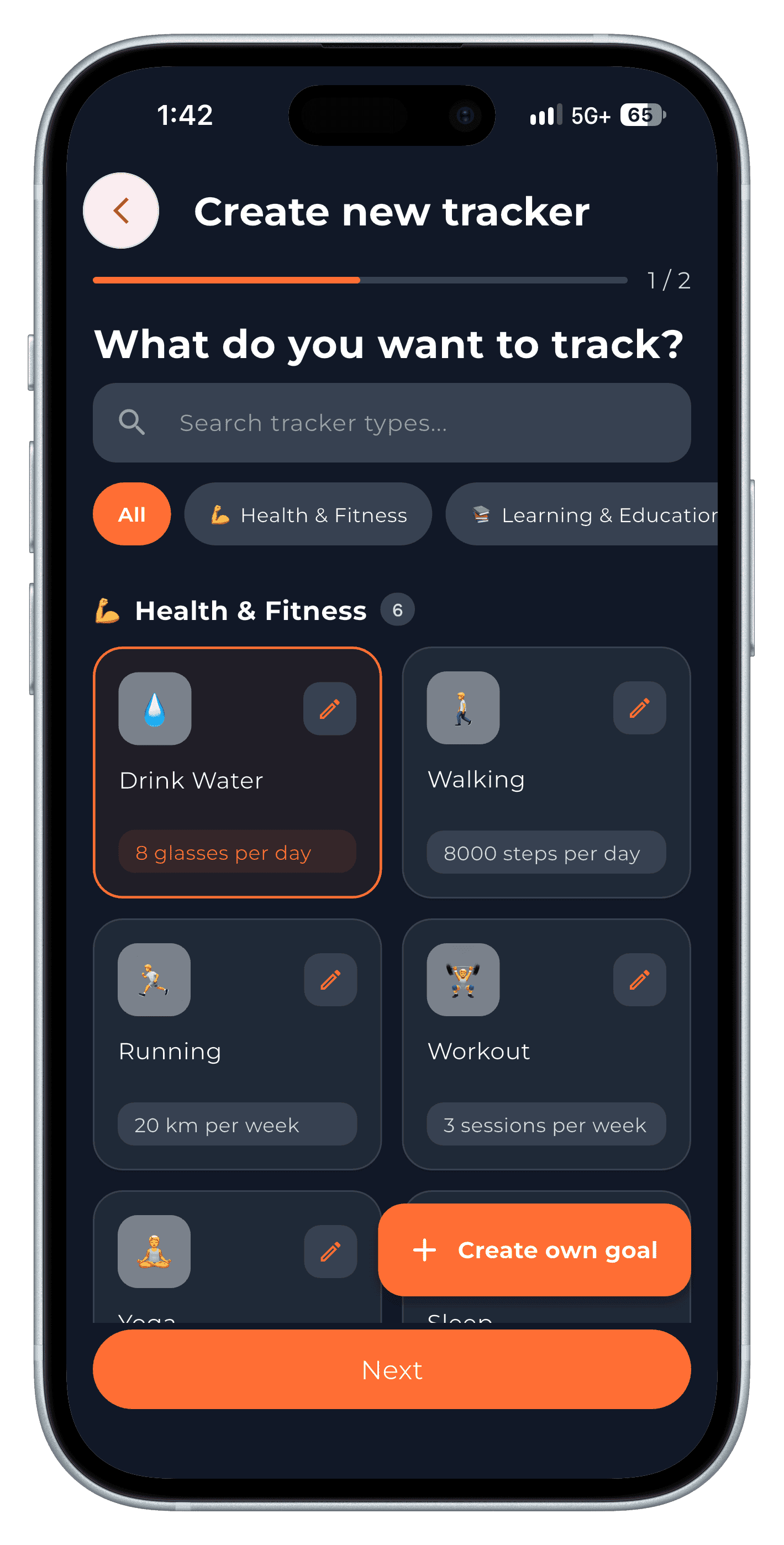
Step 1 Set the goal, repeat and reminder
Choose every day, weekly or monthly, a target end date (7, 21, 30 or 90 days), and a reminder time.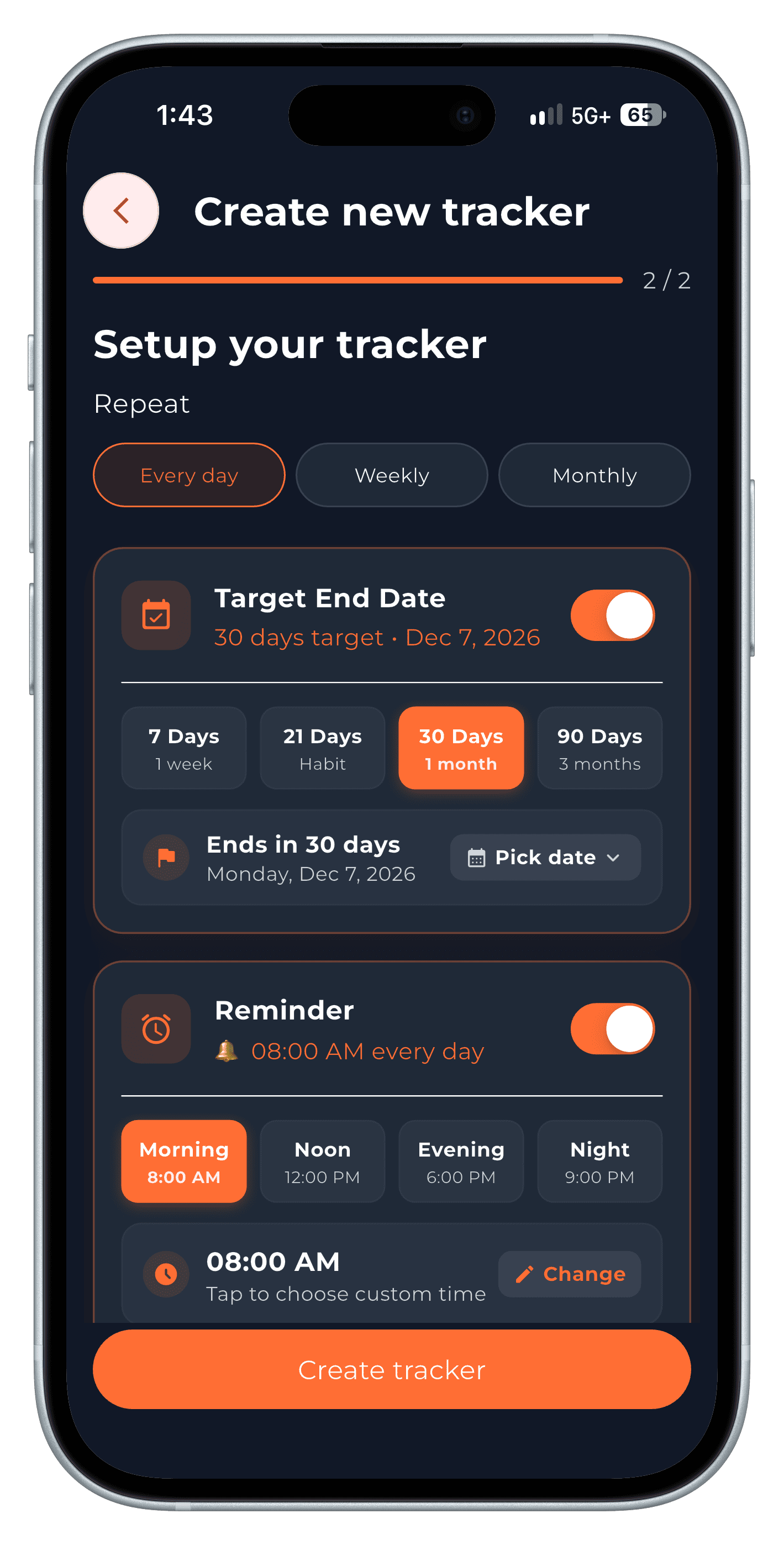
Step 2 Log it from your diary
The tracker card sits in your diary. Tap + to log progress — it takes a second.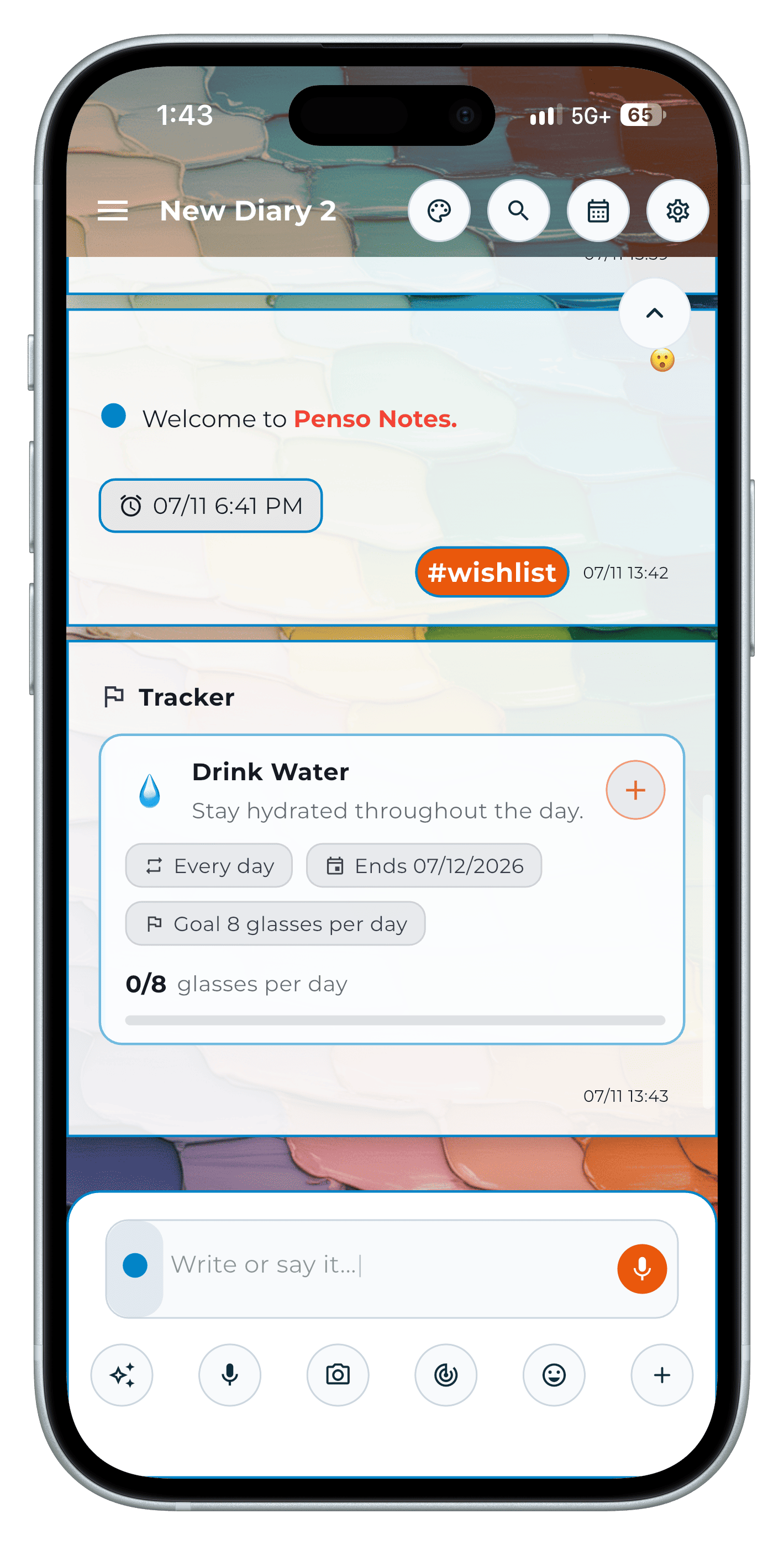
Step 3 See today at a glance
Habits & Trackers shows what's done today and what's pending.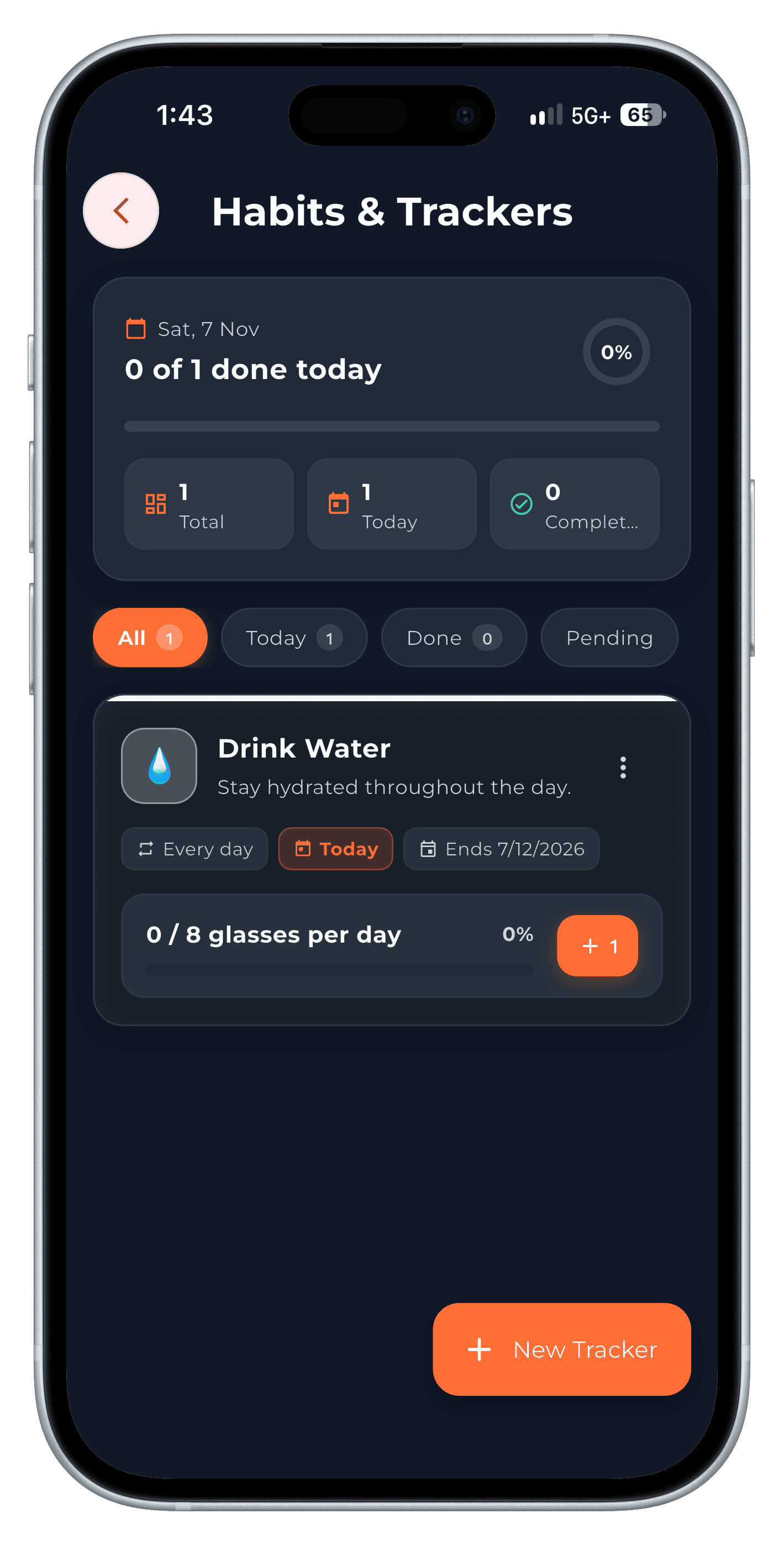
Step 4
Tips
- Track three habits at most to start. More than that and none get tracked well.
- Pair the tracker with a one-line diary entry about why — see tracking your mood.
Frequently asked questions
Are Trackers free?
Trackers are part of Penso Pro.
Can I track my mood?
Yes. Trackers has a Mood Tracking category; add a one-line entry to note what affected your mood.