By Manuj Mehta · Updated
“My family uses my phone all the time. I want to write honestly, but not if someone might scroll into it.”
To keep a diary private on a shared phone, use a diary app that locks a single diary with its own PIN, stores entries on the device rather than a shared cloud, and backs up to an account only you control. Then the phone can be shared; the diary can't.
Why it happens
Paper diaries get found. Notes apps sync to family cloud accounts and show up in search. A phone lock protects nothing once the phone is unlocked and handed over. And if you're worried about being read, you stop writing honestly — which defeats the point of a diary.
The fix: lock the diary, not the phone
- Lock at the diary level. The phone can be shared; one diary needs its own PIN.
- Leave everyday diaries open. Locking your shopping list is how locks get turned off.
- Keep it out of shared clouds. On-device storage, with a backup in your own account.
- Use a PIN nobody can guess. Not a birthday, not the phone's unlock code.
This works on paper or in any app. Read the full method in How to keep a private diary on your phone.
Doing it in Penso Notes
Switch on Lock This Diary
In the diary's settings — only that diary is locked.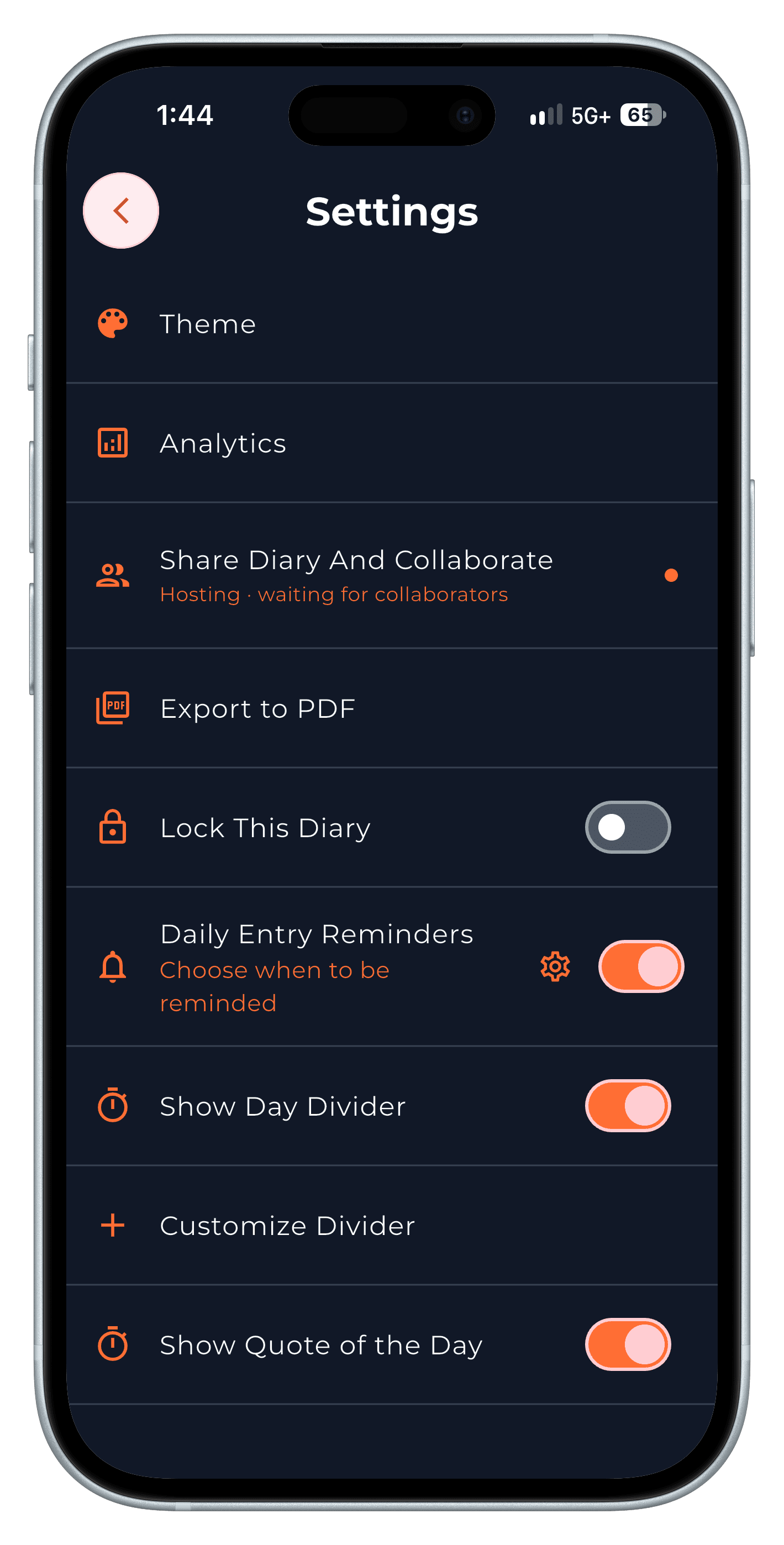
Step 1 It asks for the PIN every time
Forgot it? Sign in again to reset it.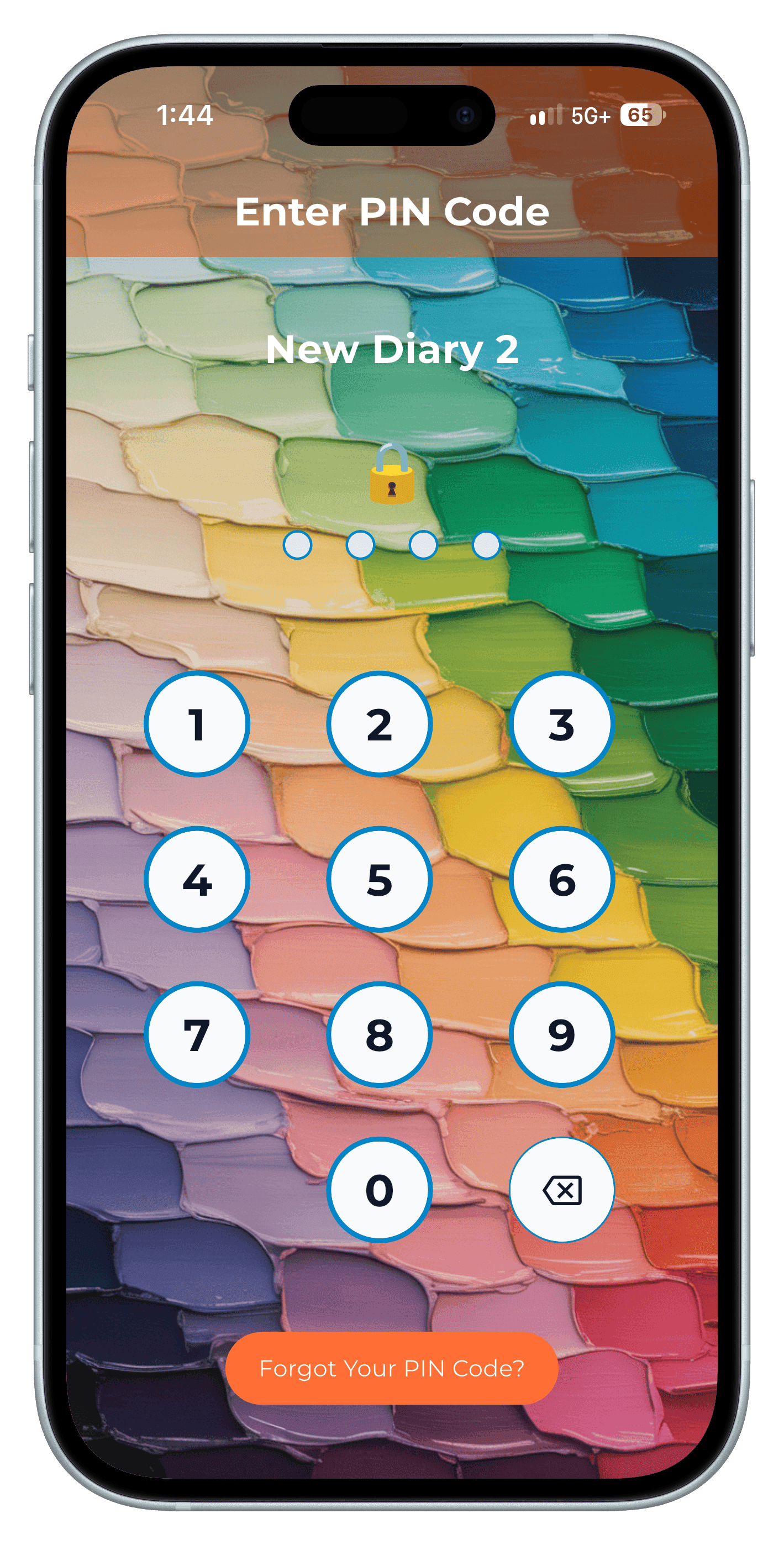
Step 2 Back up to your own Google Drive
Penso doesn't keep a copy in its own cloud.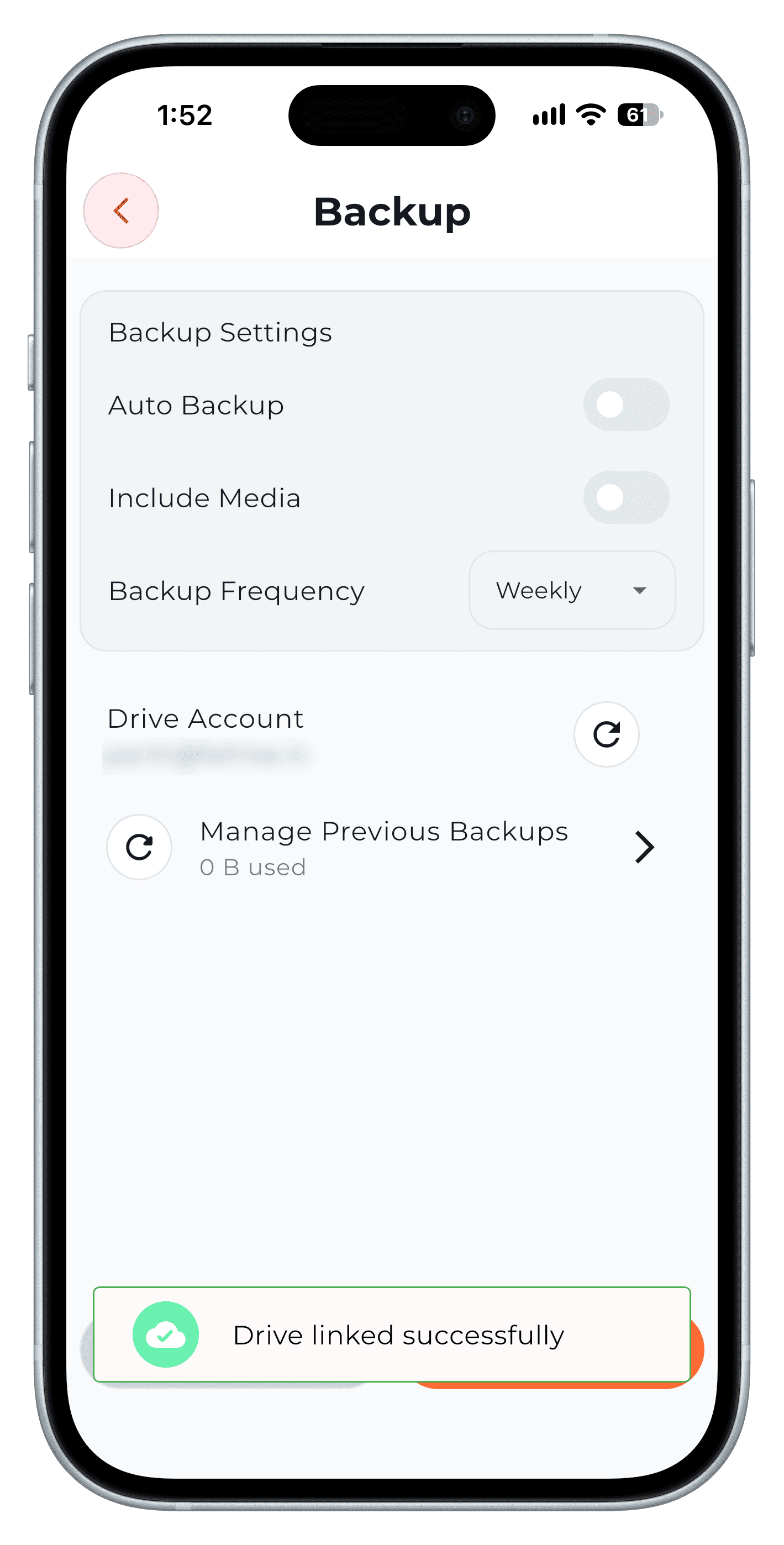
Step 3
Step-by-step in the app
The full walkthrough, with every screen, is in our how-to.
Frequently asked questions
Can I hide one diary but not others?
Yes. In Penso Notes each diary can have its own PIN; the others stay open.
Is a locked diary app safer than a paper diary?
A PIN-locked diary stored on your device, with a backup in your own account, is harder to stumble into and easier to recover than a paper diary.