By Manuj Mehta · Updated
“I message myself on WhatsApp all day — reminders, links, ideas. Finding anything from last month is hopeless.”
Texting yourself works for capture and fails for finding.The fix is to keep the one-line, send-and-forget speed but give every note a type (task, note, idea), a tag and a place — so a month later it's one search away instead of a long scroll.
Why it happens
Chat apps are built for conversations, not records. Everything lands in one stream, in the order you sent it, mixed with links, photos and forwarded messages. There's no difference between “call the bank Monday” and an idea for a project, so nothing tells you which notes still need action.
Capture was never the problem — it's retrieval. A note you can't find is the same as a note you never wrote, so the brain keeps holding it anyway.
The fix: capture like a chat, file like a journal
- Keep capture to one line. Speed is the part that works; don't add friction.
- Mark what each line is. Task, note, event or idea — the bullet journal's rapid logging.
- Separate areas of life. Work notes in one place, personal in another.
- Tag people and topics. So “everything about the Sharma account” is one search.
- Review once a week. Tick tasks, delete what's done, move the rest.
This works on paper or in any app. Read the full method in How to take notes on your phone.
Doing it in Penso Notes
Type it like a text, tag it with #
The input box sits at the bottom like a chat. Type # to tag the line as you go.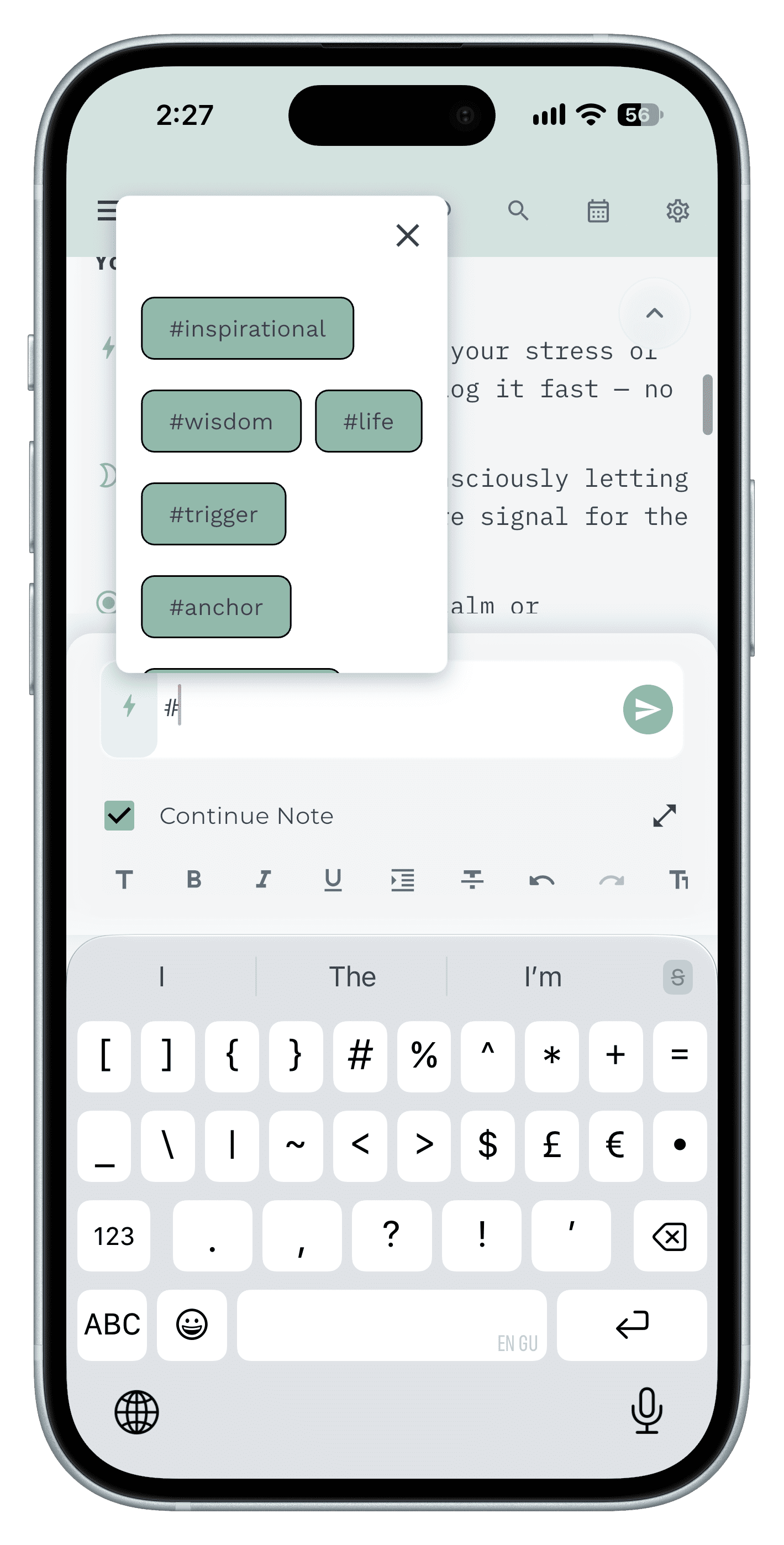
Step 1 Mention the person with @
Every note about someone is one search away.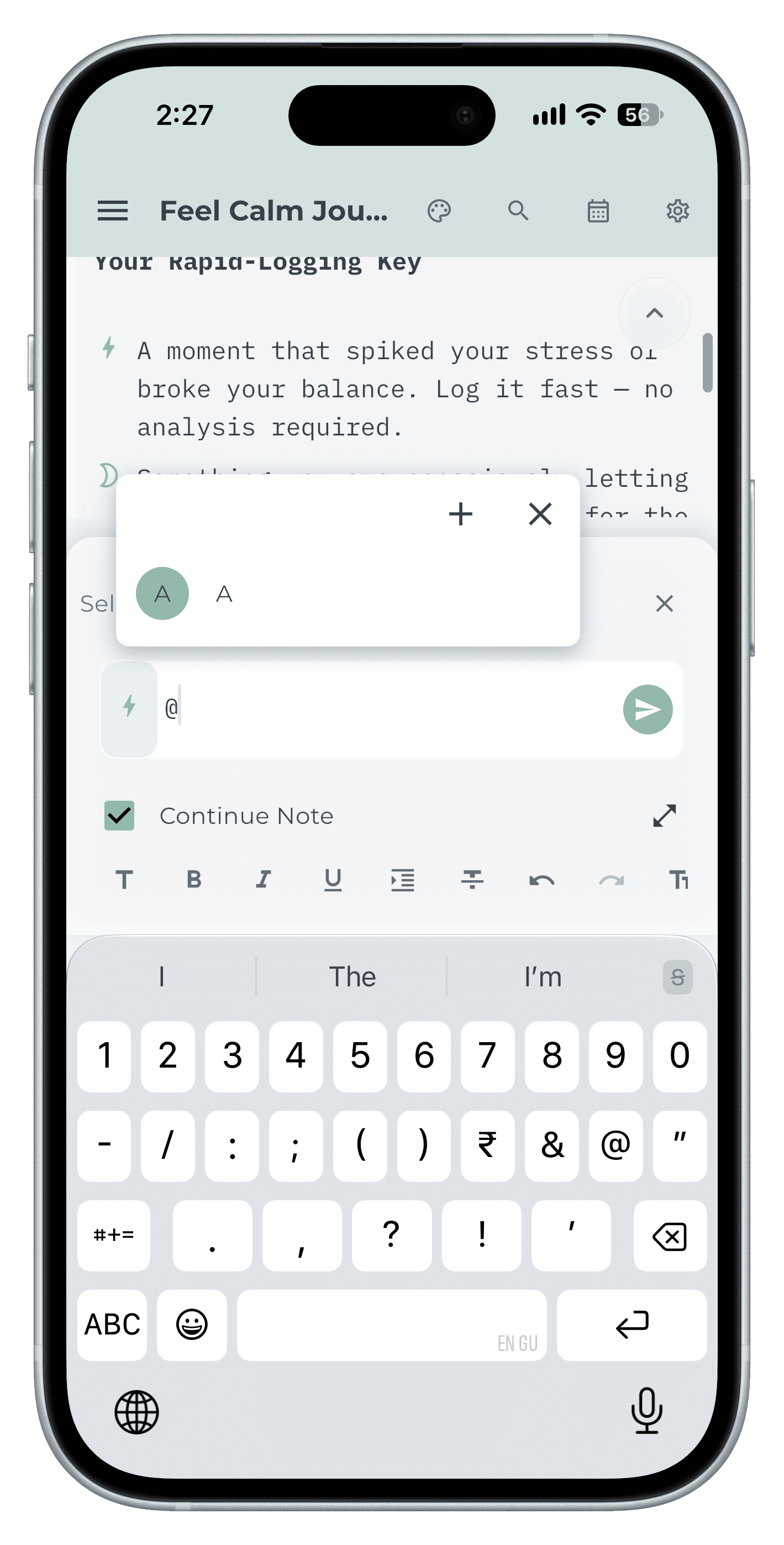
Step 2 Turn it into a reminder with !
Later today, tomorrow, next week — the reminder rides on the note.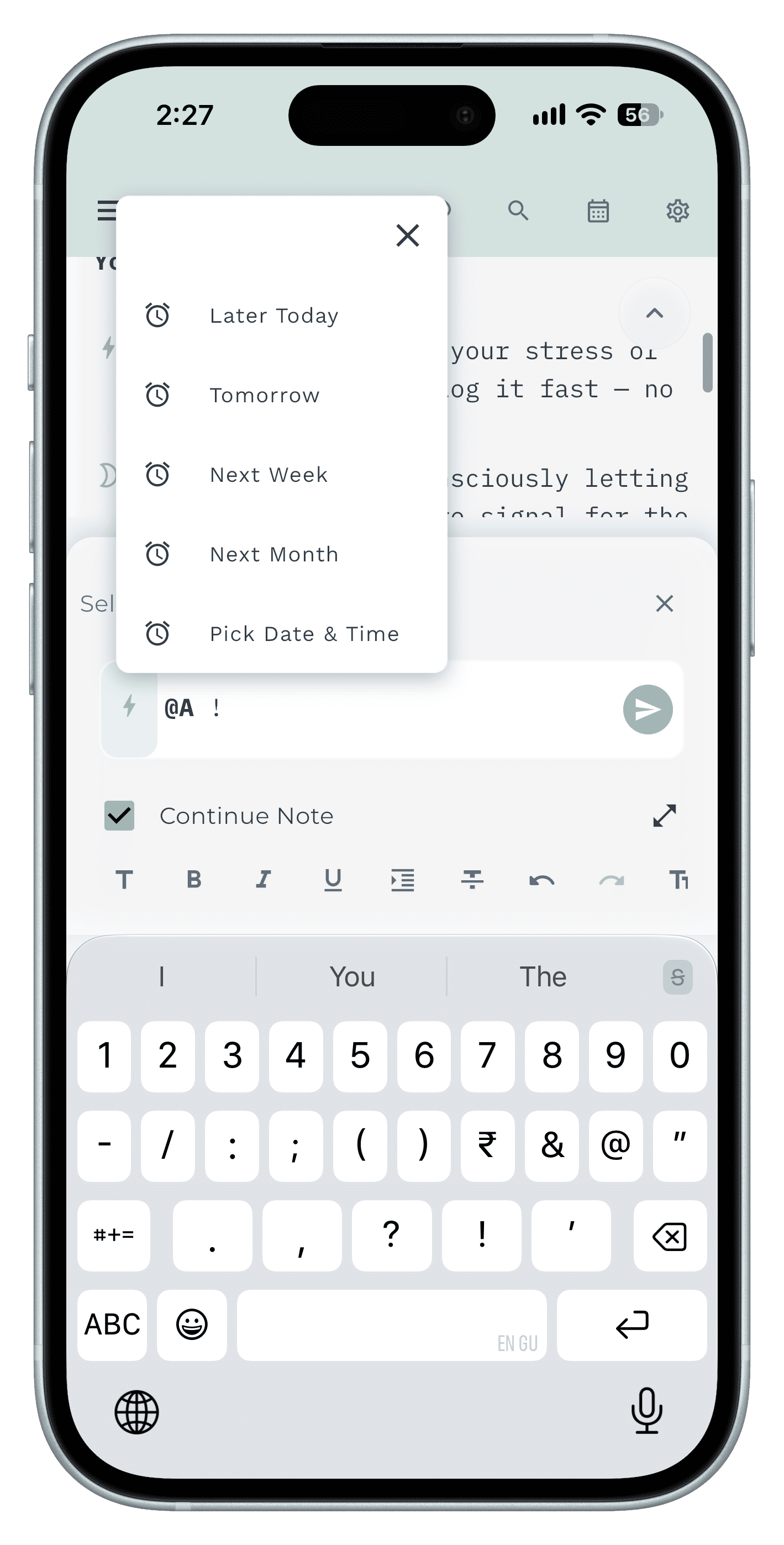
Step 3 Find it in seconds
Search by word, tag, bullet or date across every diary.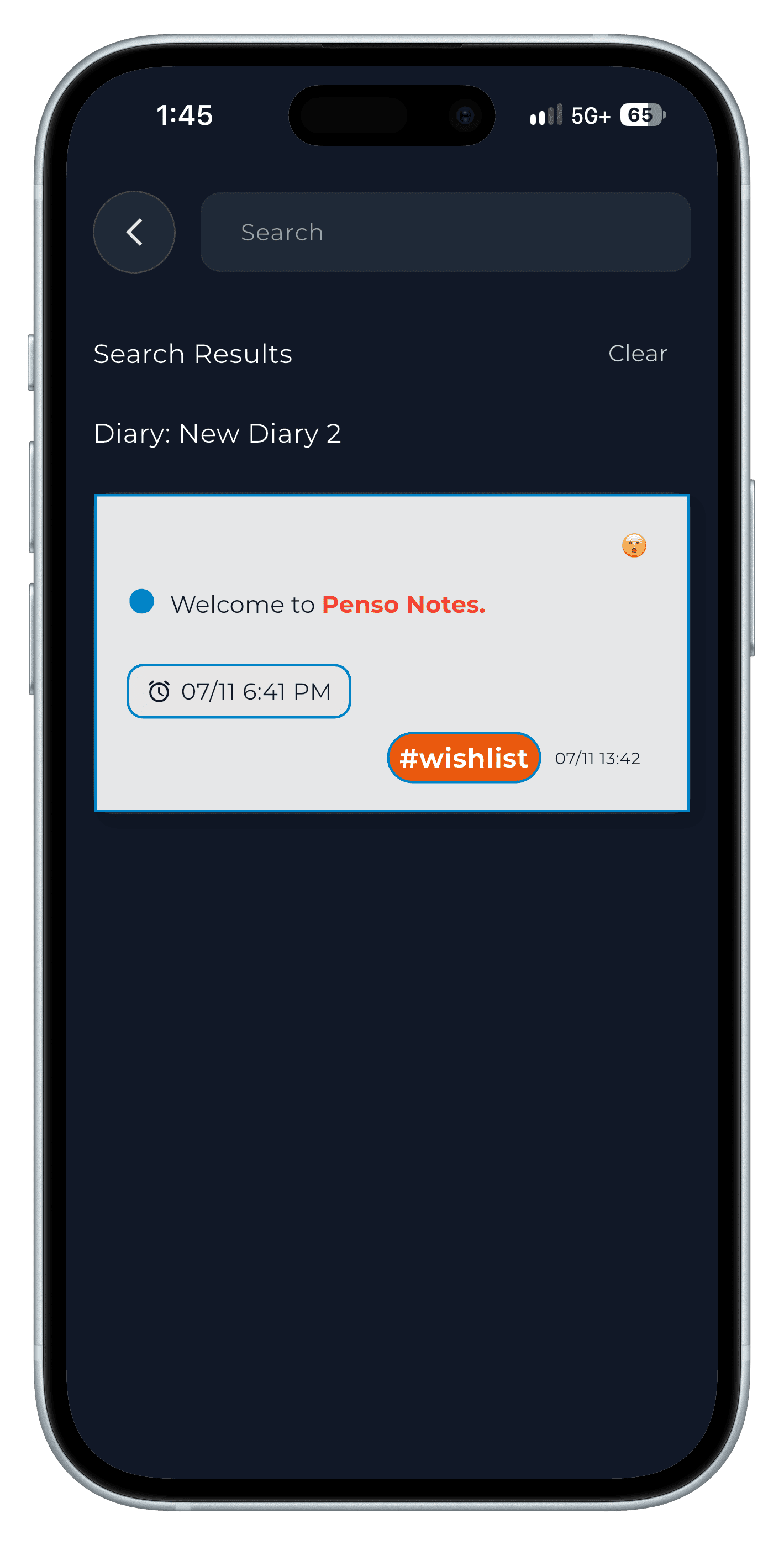
Step 4
Step-by-step in the app
The full walkthrough, with every screen, is in our how-to.
Frequently asked questions
Is it bad to text yourself notes?
It's great for capture and poor for finding things later, because everything ends up in one unsorted stream. Keep the speed, but use a tool that types, tags and dates each note.
What's the best note-to-self app?
One that opens straight to typing, lets you mark tasks versus notes, tag people and topics, and search by date. Penso Notes is built around exactly that.