By Manuj Mehta · Updated
To rapid log in Penso, open a diary, type one line in the box at the bottom and send it — just like texting yourself. Pick a bullet to mark it as a task, note or event, add a #tag or @mention as you type, and sort or expand it later.
Step by step
Open a diary and type one line
The input box is always at the bottom, like a chat. Keep it short — a task, a fact, a feeling. Send it and it's saved with the date and time.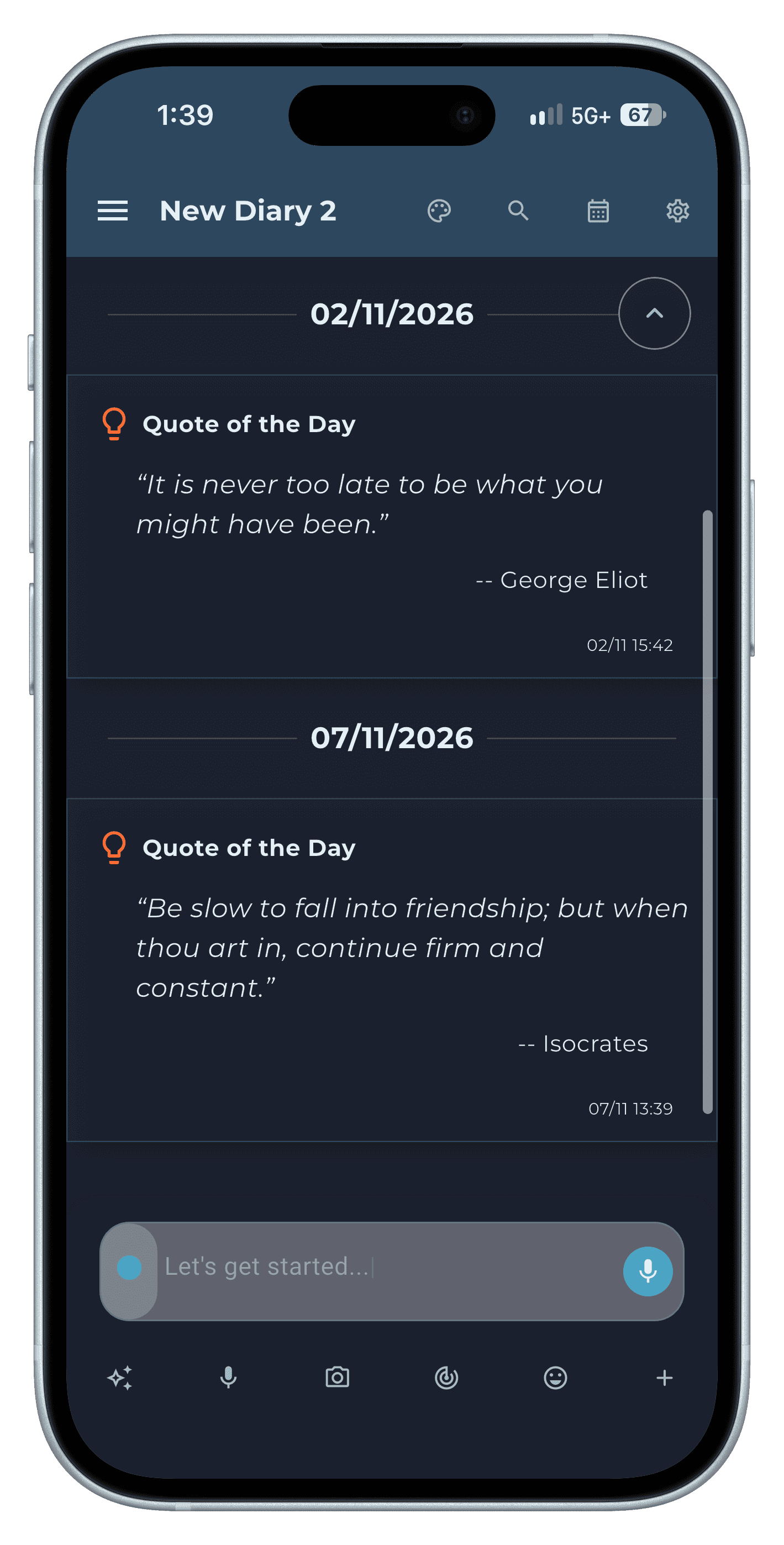
Step 1 Tag it with #
Type # and pick a tag — work, personal, ideas, goals — or make a new one. Tags are how you find related entries across diaries later.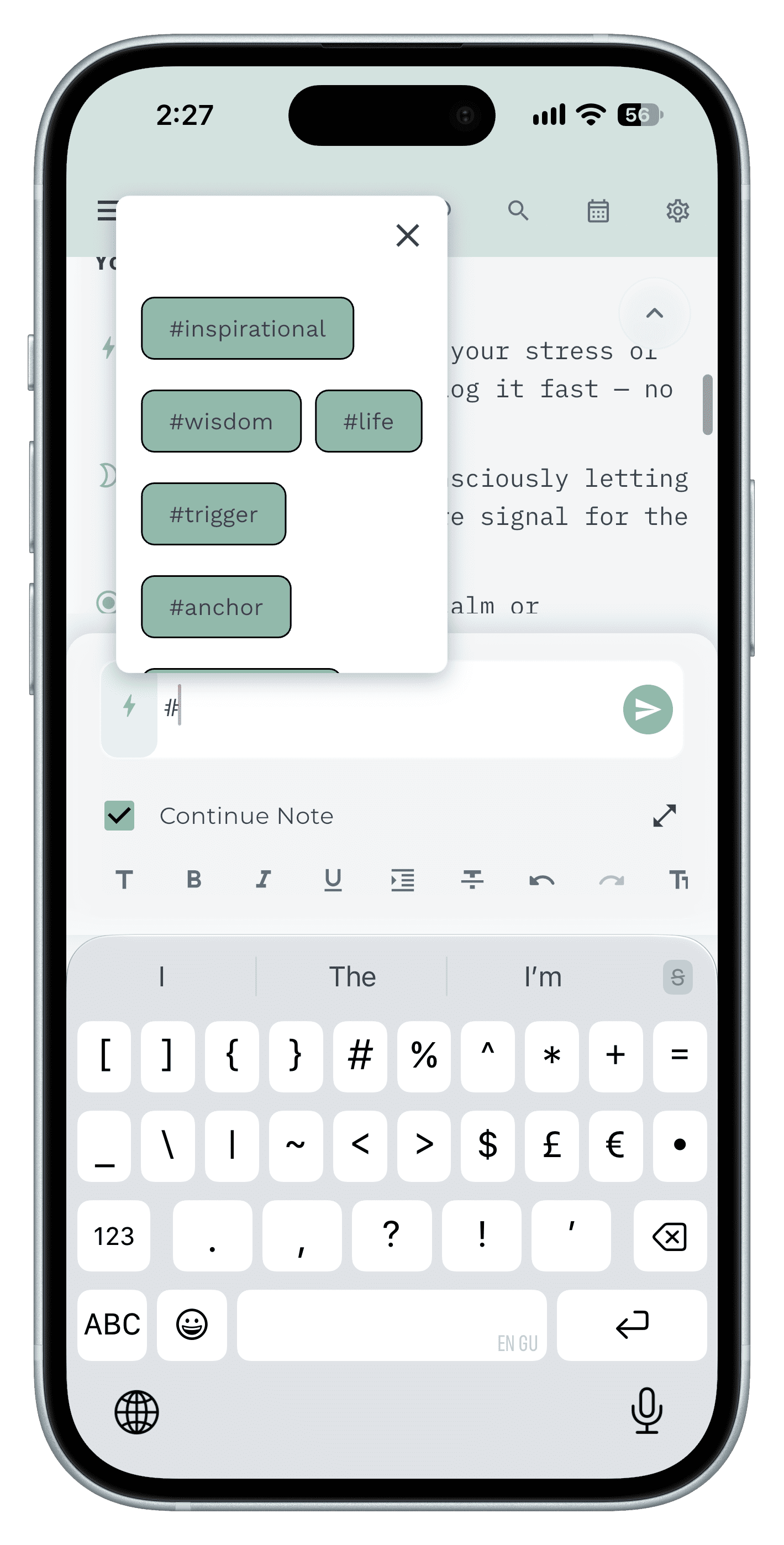
Step 2 Mention people with @
Type @ to mention a contact. Every entry about that person is one search away — handy for call notes and follow-ups.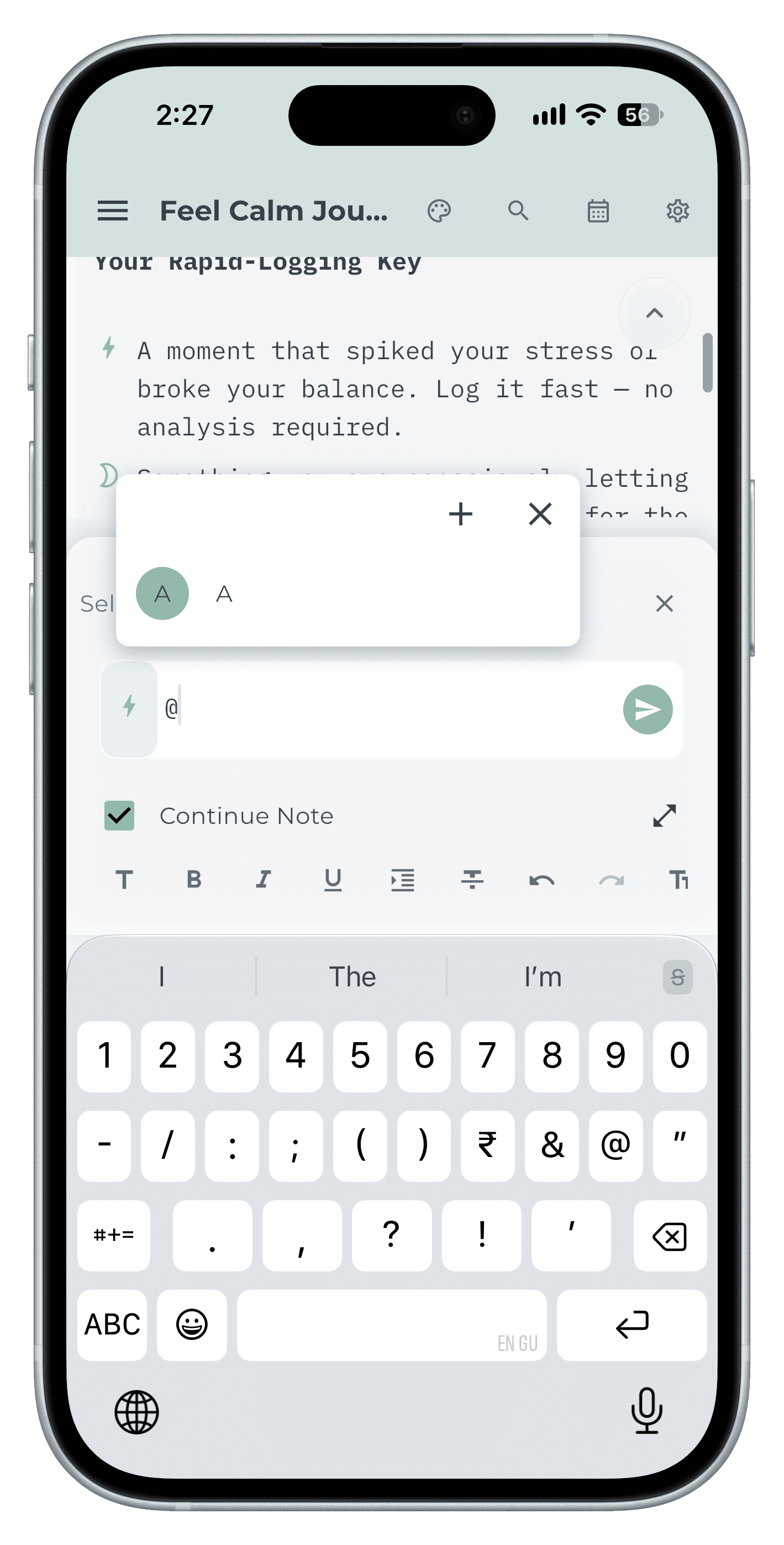
Step 3 Add a reminder while you type
Type ! to pick Later Today, Tomorrow, Next Week, Next Month or a date and time. The reminder is attached to the entry.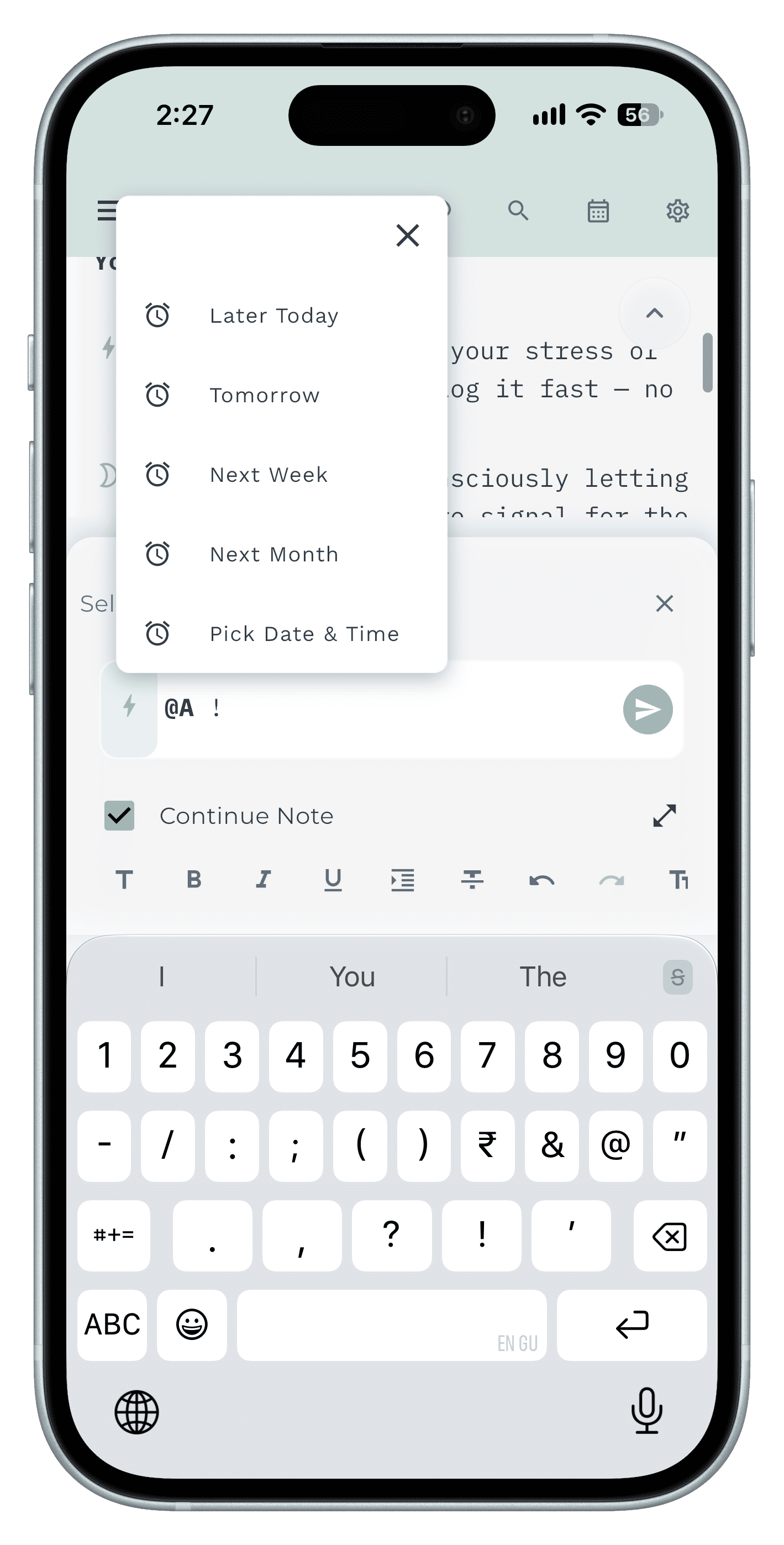
Step 4 Format, edit or move it later
Long-press an entry to edit, pin, copy to another diary, add a sticker or reminder, or delete it. The formatting bar adds bold, lists and text size when you need them.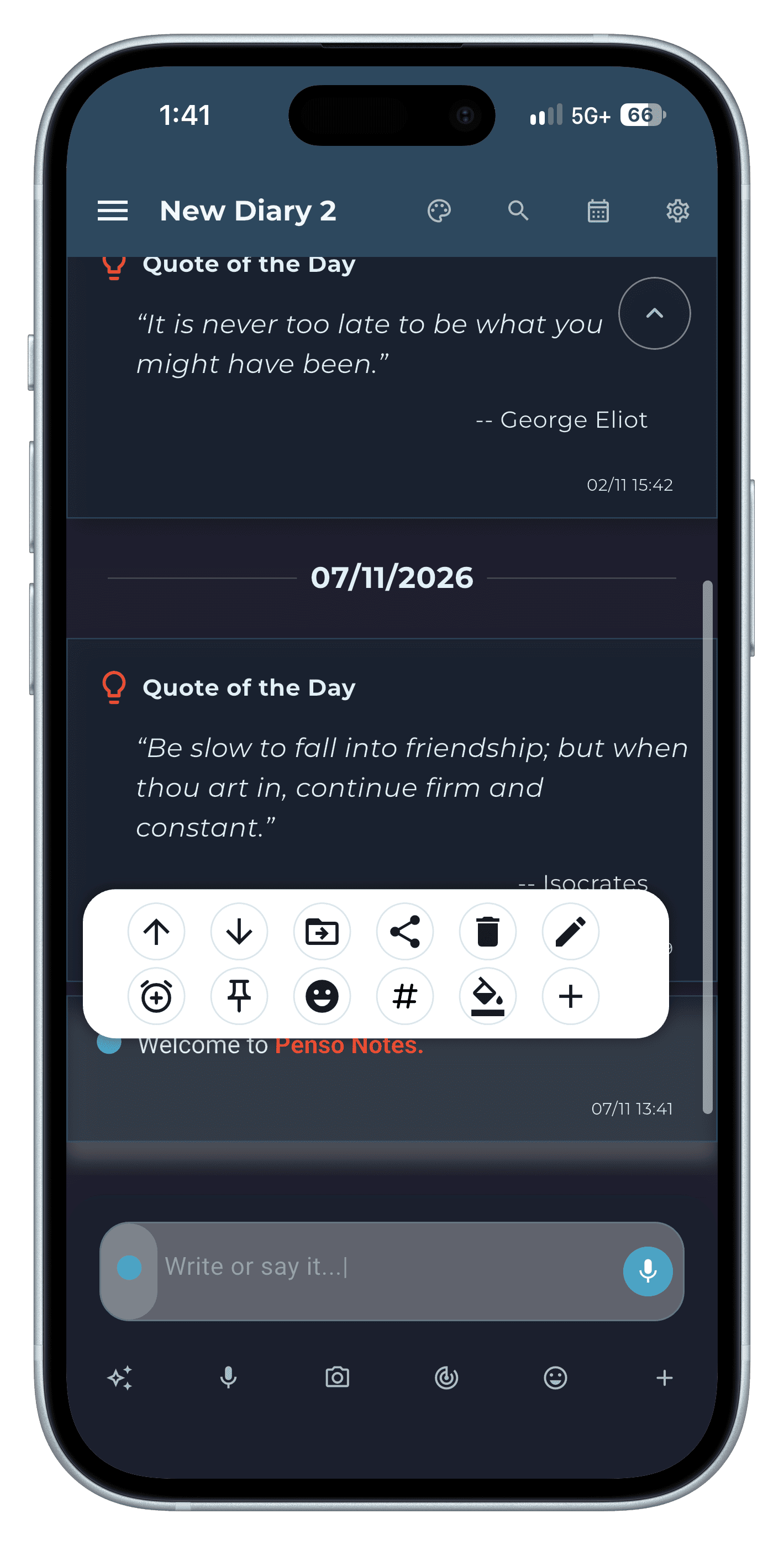
Step 5
Tips
- Write now, sort later. The point is to get the thought out of your head before it goes.
- Prefer to talk? With Penso Pro you can speak an entry instead — voice-to-text.
Frequently asked questions
What is rapid logging?
Rapid logging is the Bullet Journal style of note-taking: short lines, each marked with a bullet that says whether it's a task, note or event, so capture is fast and review is easy.
Can I write longer entries?
Yes. Tick Continue Note or use the formatting bar for longer entries, lists and headings.