By Manuj Mehta · Updated
To add a Penso widget, long-press your home screen, tap + (or Widgets), find Penso Notes and pick small, medium or large. Tap the widget to open a diary straight away — capture becomes closer than your memory.
Step by step
Small: your counts at a glance
Shows how many diaries and notes you have, and opens Penso in one tap.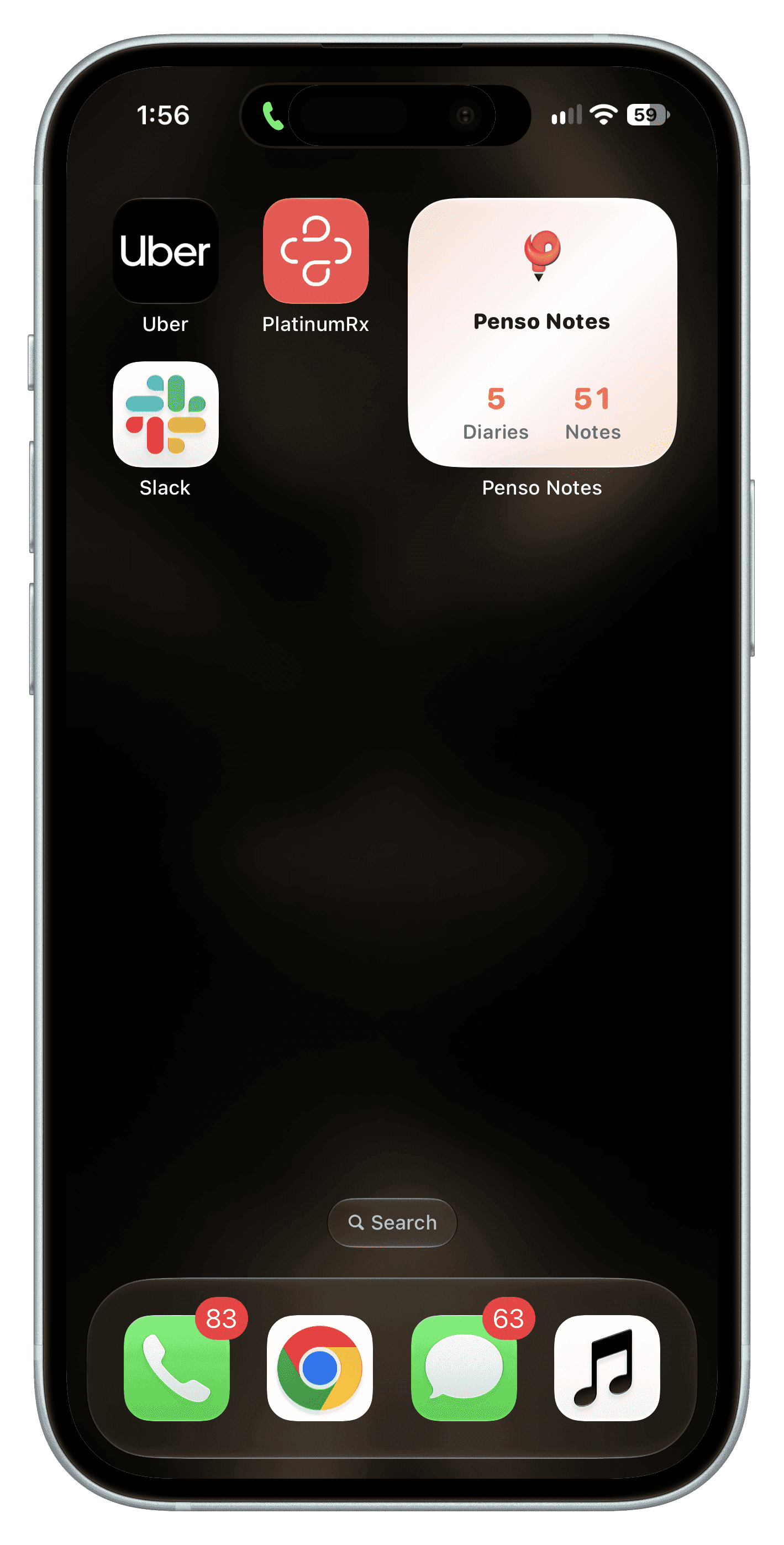
Step 1 Medium: your top diaries
Lists your most-used diaries so you can jump straight into one.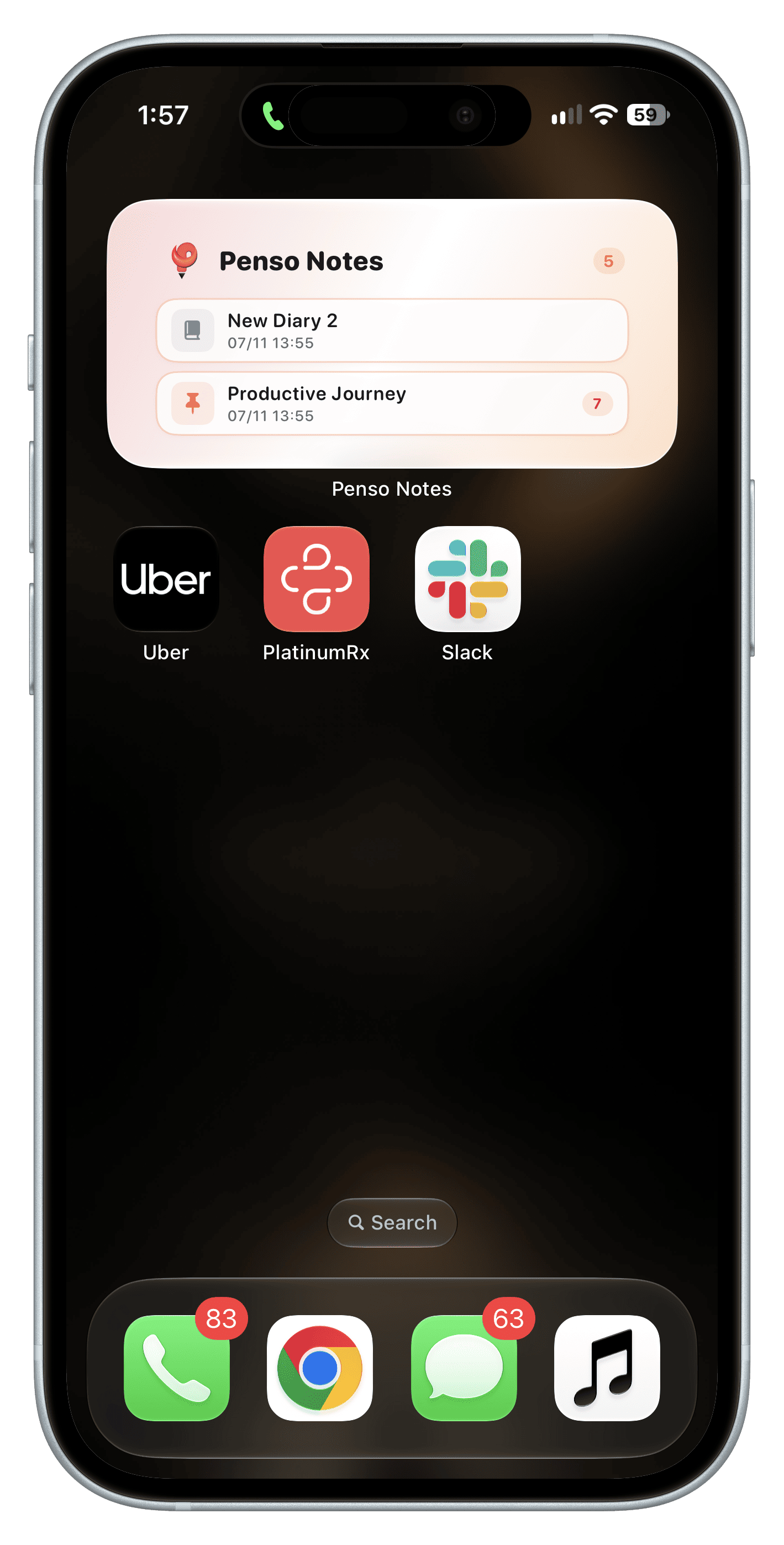
Step 2 Large: all your diaries
Shows your diaries with entry counts — good if you keep several.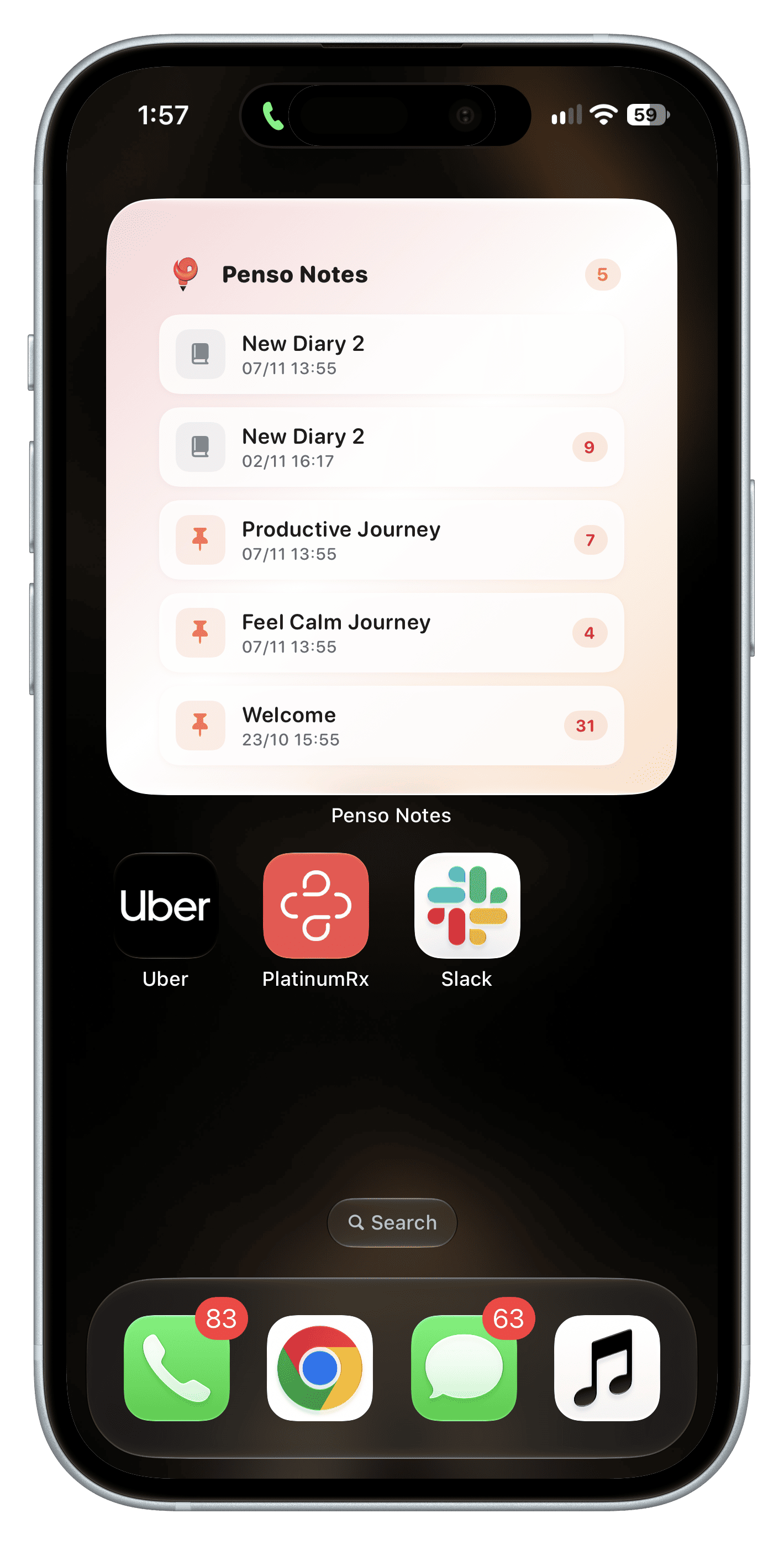
Step 3
Frequently asked questions
Do Penso widgets work on Android and iPhone?
Yes. Add them from your home screen's widget picker on either platform.
Which widget size should I use?
Medium for most people: it puts your main diaries one tap away without taking much space.