By Manuj Mehta · Updated
To start a Penso Journey, choose a path — Feel Calmer, Boost Productivity, Creative Spark or Capture Memories — and Penso creates a diary with a prompt waiting each day. Answer in a line, refresh for a different prompt, and set a reminder for the time you write.
Step by step
Choose your journey
Pick the path that matches why you want to journal. You can start more than one, each as its own diary.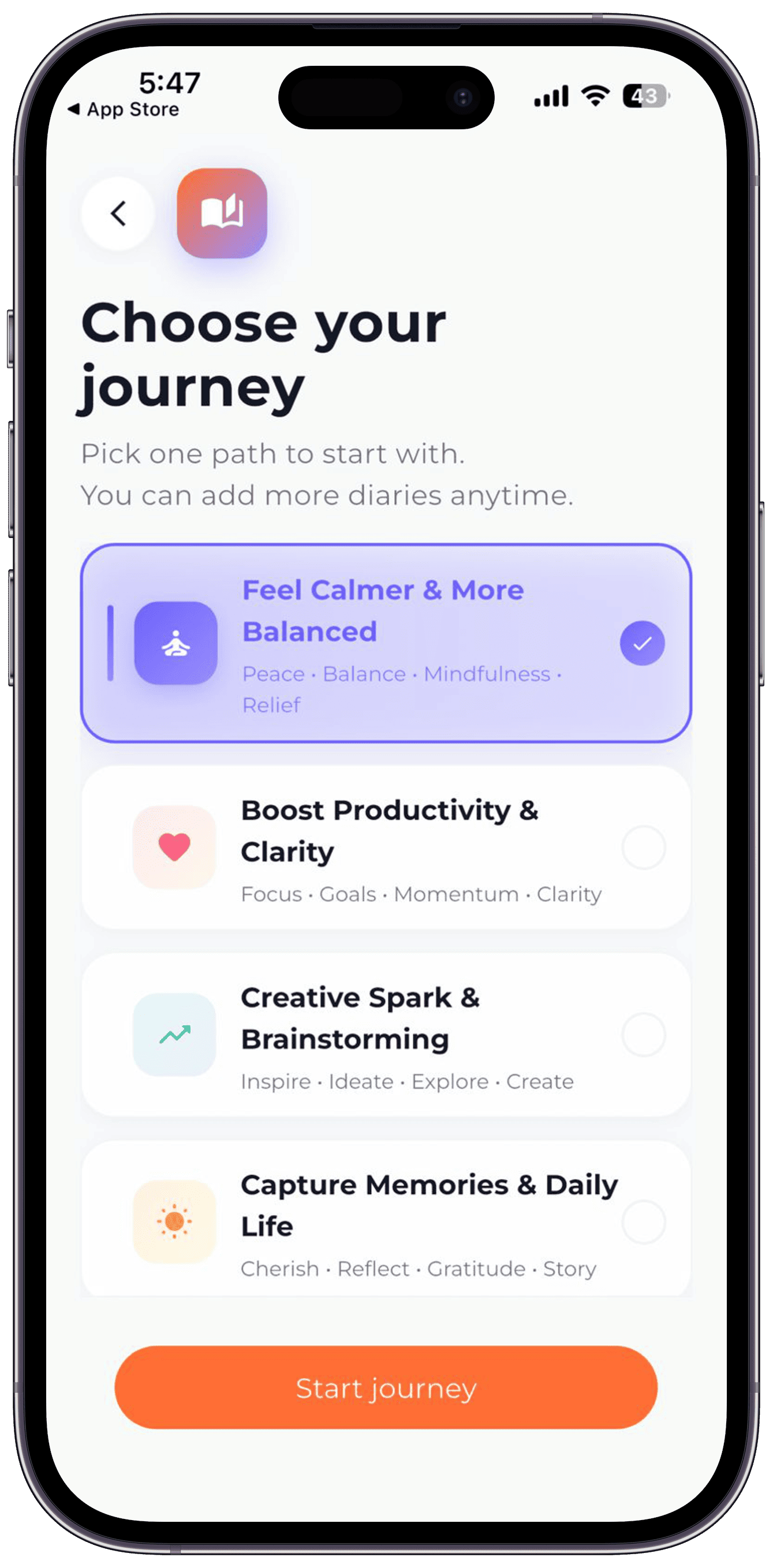
Step 1 Answer today's prompt
The prompt card sits in your diary. Answer in one line — or a page if it's a slow day.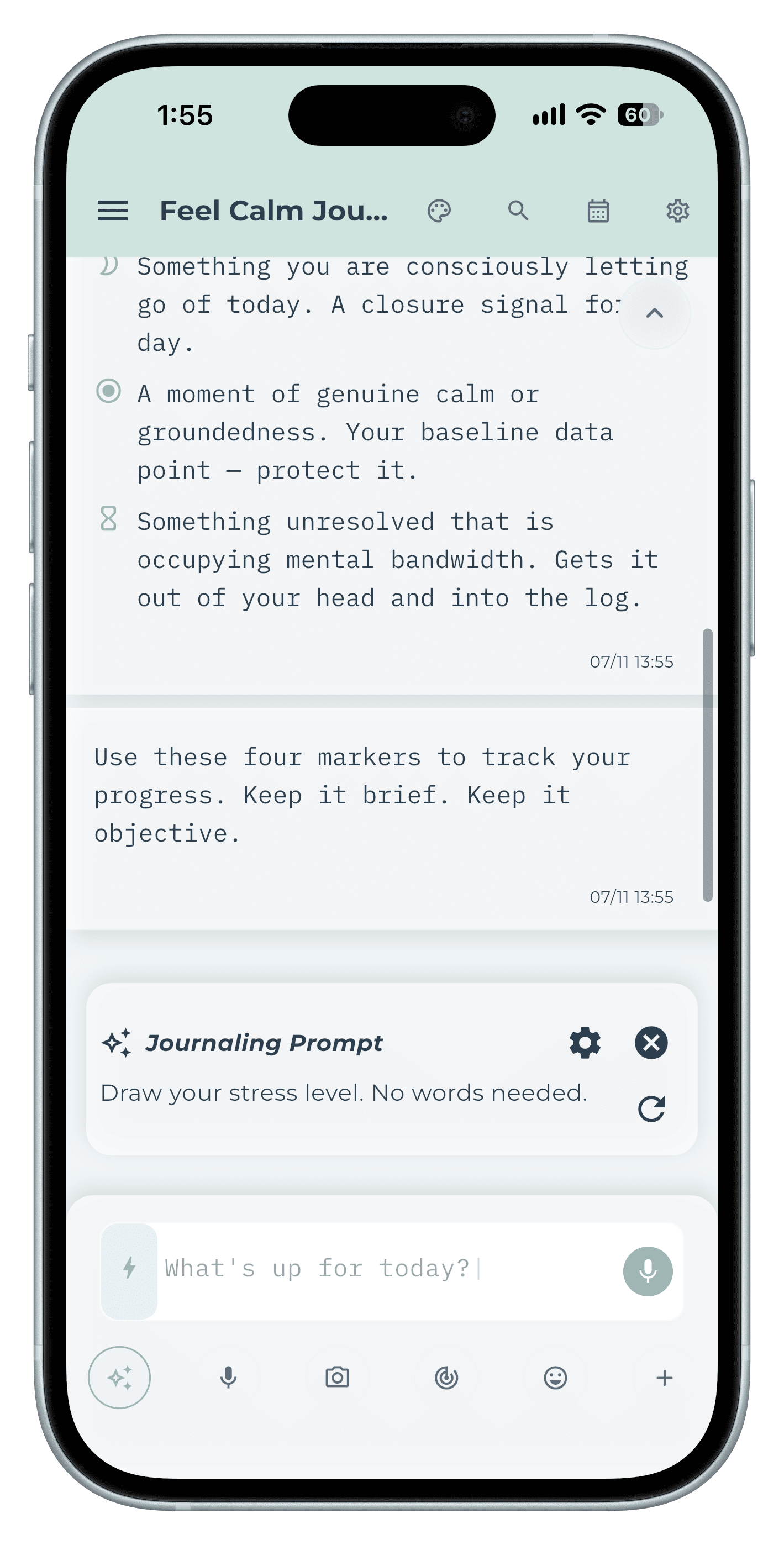
Step 2 Refresh a prompt that doesn't fit
Tap refresh on the prompt card for another one. Skipping is allowed; writing something is the only rule.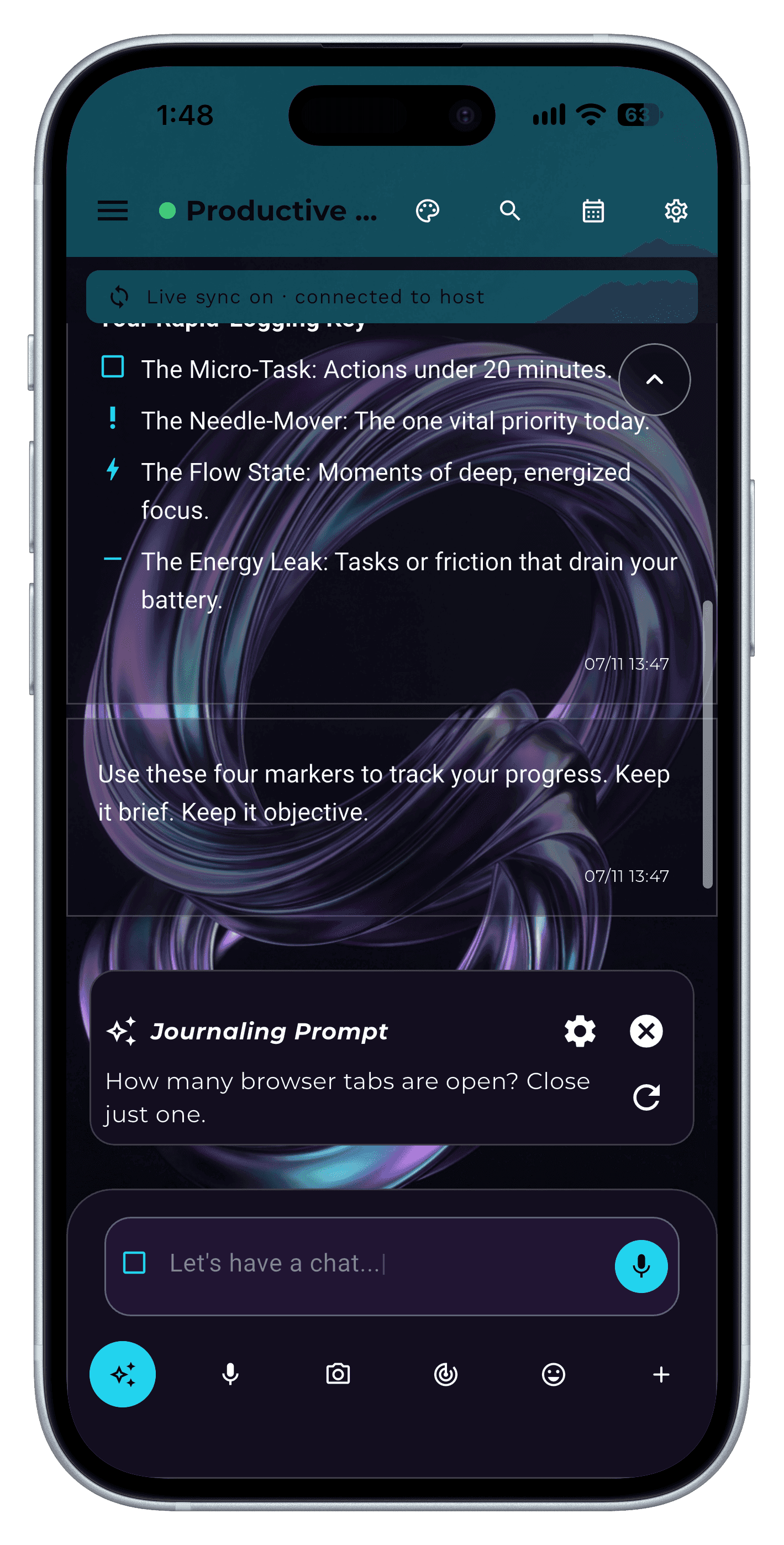
Step 3 Set a reminder
Tap the gear on the prompt card to set a daily reminder at the time you actually have a minute.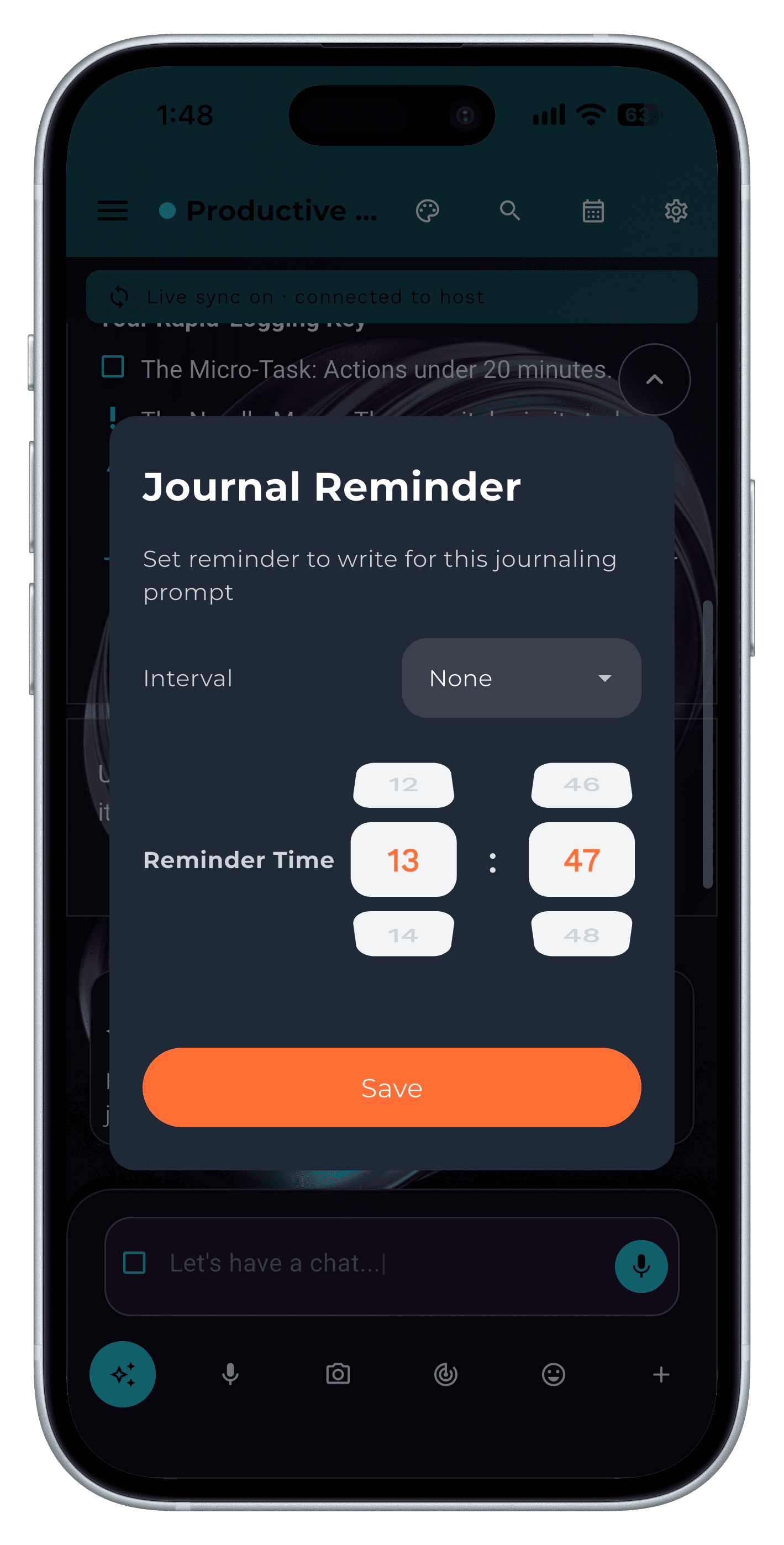
Step 4
Tips
- Never miss twice. A missed day is normal; two in a row is how habits end.
Frequently asked questions
What is a Penso Journey?
A guided 30-day journaling path: a diary with a prompt each day, built around a goal such as feeling calmer or being more productive.
Is guided journaling better than free writing?
For beginners, usually. A prompt removes the blank page, which is the most common reason people stop.