By Manuj Mehta · Updated
To add a reminder in Penso, type ! in an entry or long-press it and choose reminder, then pick a time. Switch on Link to Google Calendar to see it there too. The calendar shows entries from every diary by day, and Remind to Write nudges you daily.
Step by step
Add a reminder to an entry
Pick Later Today, Tomorrow, Next Week, Next Month, or a date and time. Add a note so the alert says what to do.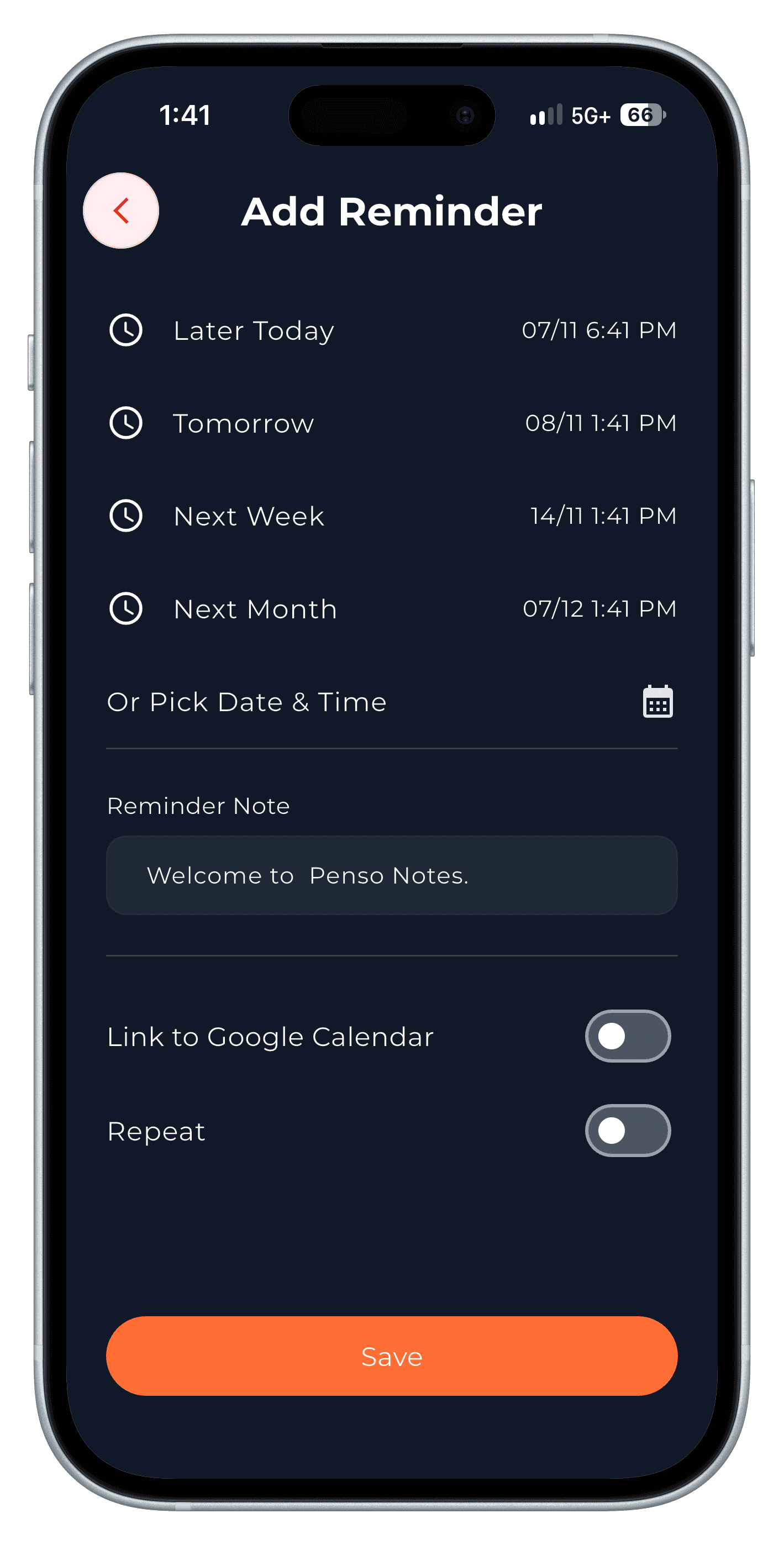
Step 1 Repeat it and link it to Google Calendar
Switch on Repeat for recurring reminders (hourly, daily and more), and Link to Google Calendar to see it in your calendar.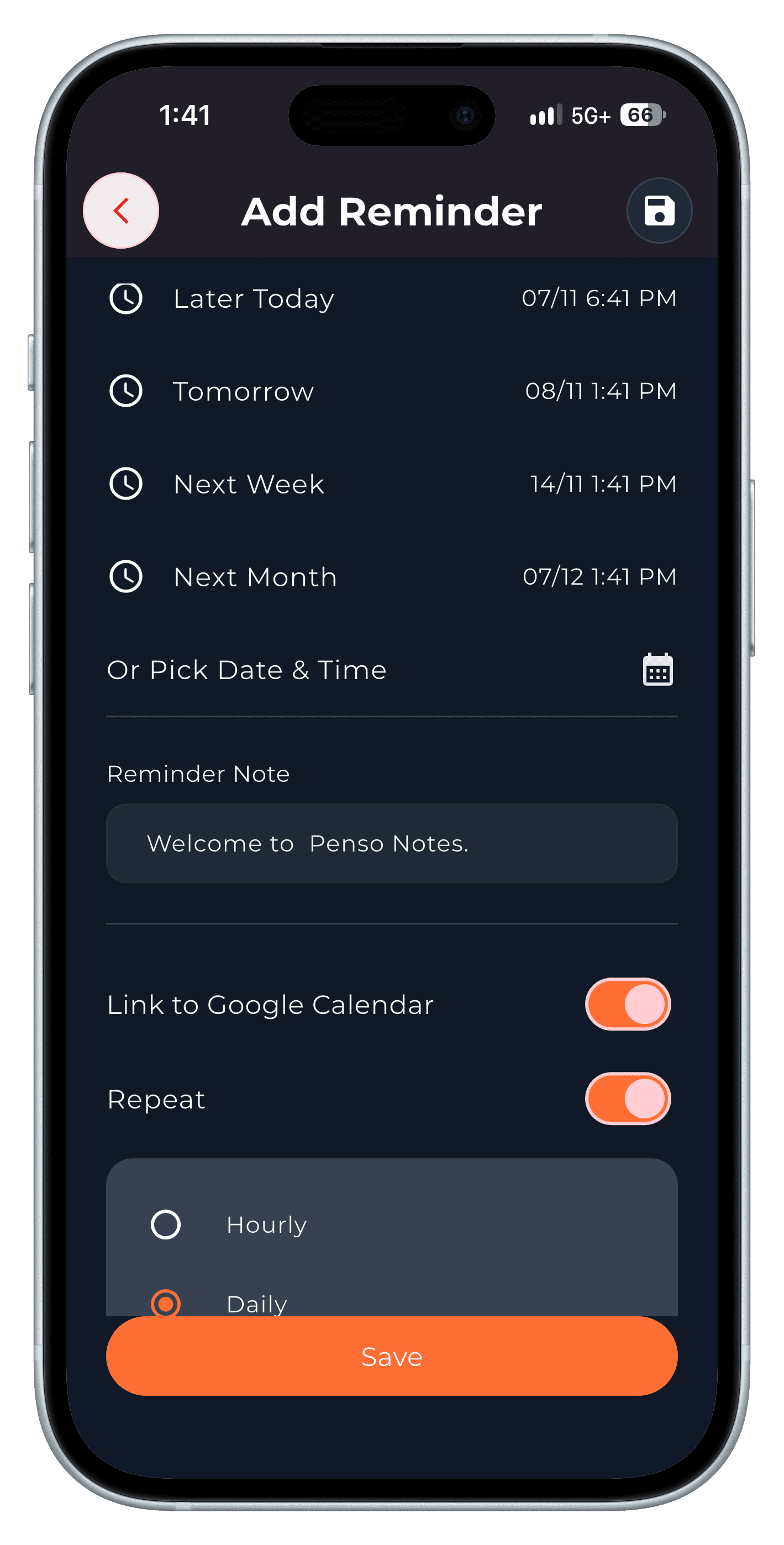
Step 2 Add an event
From the calendar, tap + to add an event with a name, description, all-day or time, repeat, and the diary it belongs to.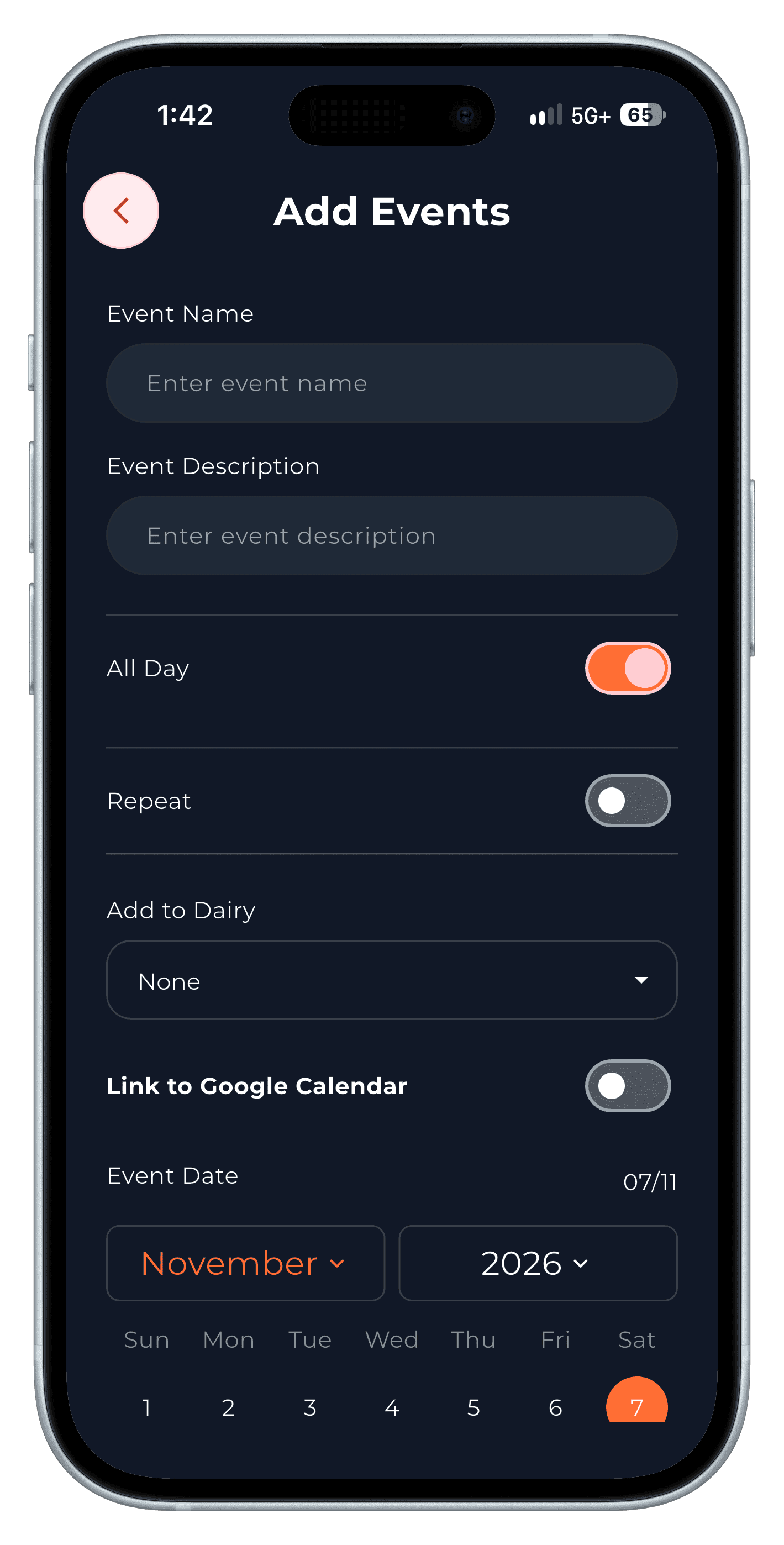
Step 3 See every diary on one calendar
The month view marks days with entries and lists that day's events; the week view shows the days around today.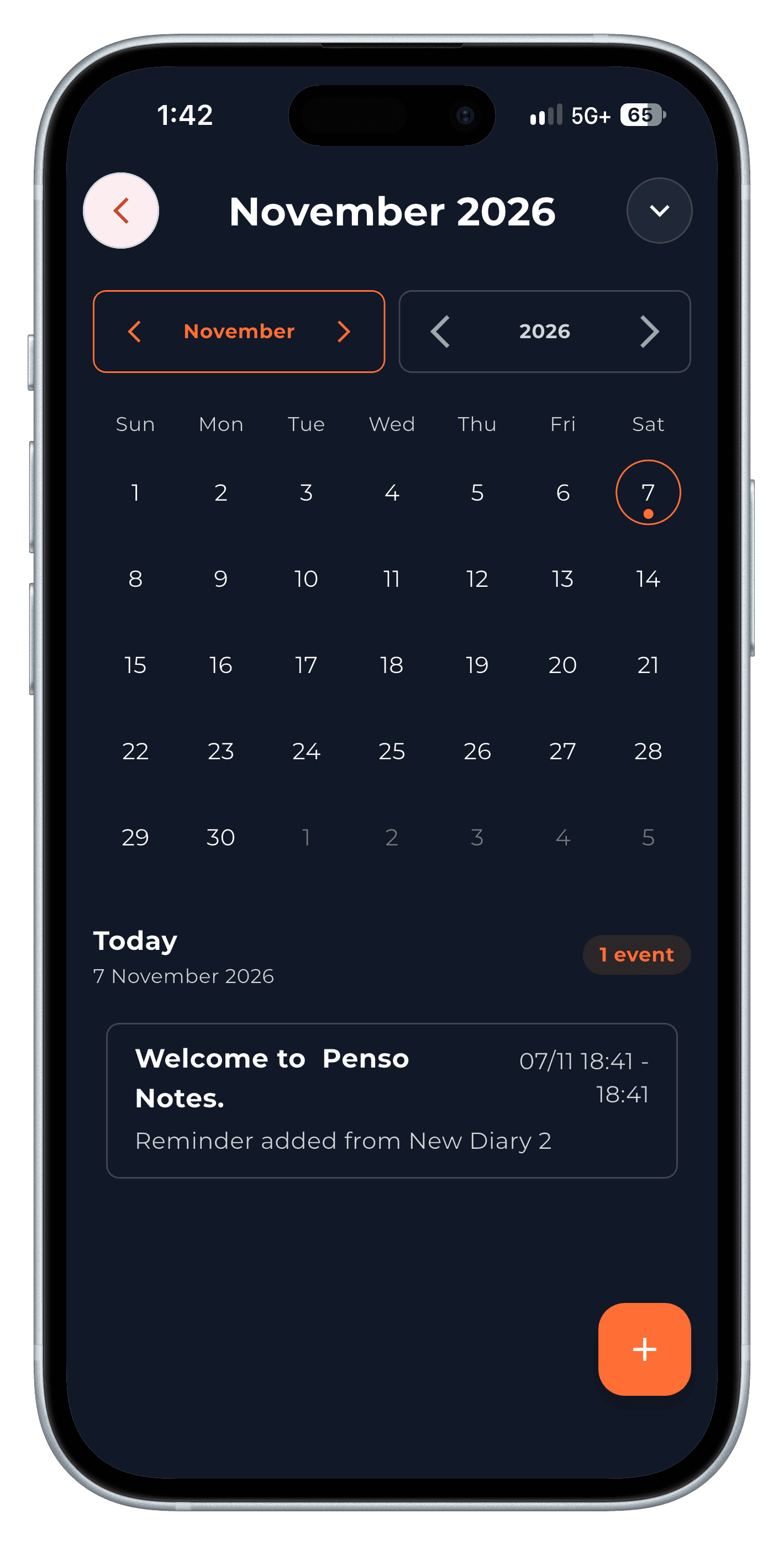
Step 4 Get a daily nudge to write
Settings → Remind to Write schedules a reminder to open Penso, so the habit doesn't depend on willpower.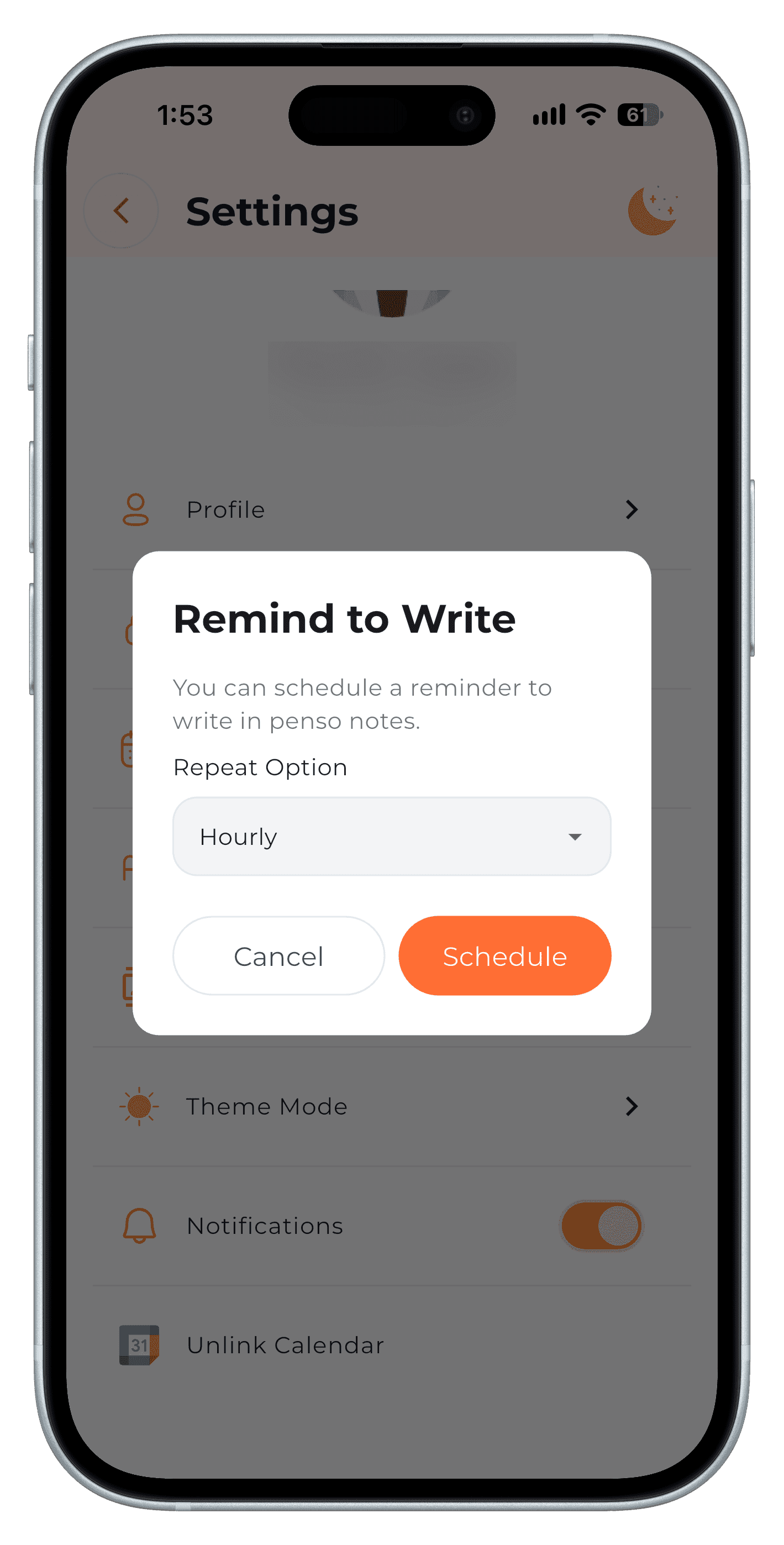
Step 5
Frequently asked questions
Do Penso reminders work when my phone is asleep?
Yes. Reminders are scheduled on the device and alert you at the set time.
Can I sync Penso reminders with Google Calendar?
Yes. Switch on Link to Google Calendar on the reminder or event.